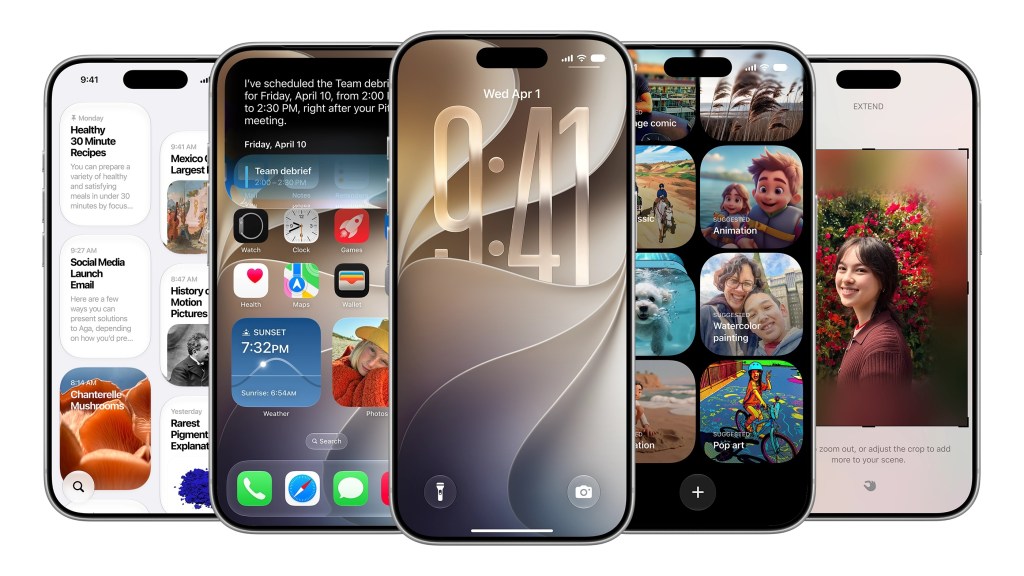
iOS 27 Features We Didn’t See on Stage
Apple’s iOS 27 update is a masterclass in understated innovation, quietly elevating the user experience with a suite of features that weren’t showcased during its WWDC 2026 keynote. While the new Siri AI stole the spotlight, the real value lies in the thoughtful, incremental improvements that make daily use of the iPhone more intuitive and efficient.
Widgets Finally Get Full-Screen Access
For years, iOS users have had to live with small, constrained widgets on the home screen. iOS 27 changes this by allowing users to add full-screen widgets, particularly for apps like News and Calendar. This enhancement makes it easier to scan headlines or check events without opening the full app, streamlining information access and reducing app-switching friction.
Custom Volume Controls for Alerts
The ability to set separate volume levels for alarms, timers, alerts, and system sounds is a welcome addition for users who want more control over their audio environment. This feature, found under Settings > Sounds & Haptics, allows individuals to adjust sliders manually after disabling the "Match Ringtone Volume" option. It's a small but impactful change that caters to users who need distinct audio cues for different tasks.
Copy-Paste Gets a Smarter Keyboard Shortcut
One of the most useful features in iOS 27 is the improved copy-paste functionality. When users have text or a screenshot in their clipboard, they now get a direct paste option on the keyboard. This mirrors the way one-time passcodes are shared from the Messages app, making it easier to transfer content between apps without navigating back to the clipboard menu.
Weather App Gets a Feature-Rich Makeover
The redesigned Weather app introduces a Highlights section that surfaces upcoming events like rain, snow, or heatwaves. Users can also toggle between Conditions, Precipitation, and Wind views, offering more granular control over the data they see. These changes make the Weather app more than just a simple forecast tool — it's now a proactive assistant for daily planning.
Messages Gets a Creative Boost
Messages in iOS 27 now supports Drawing, allowing users to sketch and send diagrams or notes directly from the app. This addition is particularly useful for brainstorming or sharing ideas on the go. Additionally, users can customize the app’s interface to show a voice recording, dictation, or hide those buttons entirely — a small but meaningful adjustment for users who prefer a cleaner interface.
Camera Controls Get a Usability Overhaul
The camera experience has received a subtle but effective upgrade with easy access to depth, grid, and level options. These settings, which are often buried in menus, are now more accessible for users who want to fine-tune their photography without diving into app settings. It’s a small win for casual photographers and a step closer to professional-grade tools in the stock iOS camera.
Emoji Keyboard Gets a Scroll Bar
While seemingly minor, the addition of a scroll bar at the bottom of the emoji keyboard improves navigation for users who need to find specific emojis quickly. This tweak, though small, speaks to Apple’s attention to detail in refining the user interface.
Find My Adds Location Hiding Options
In a move that respects user privacy, iOS 27 now allows users to hide their location in Find My from a specific person for a set amount of time without alerting them. This is particularly useful for those who want to maintain privacy without causing concern or suspicion.
Wallet App Gets Custom Pass Creation
The Wallet app now supports custom pass creation, giving users more flexibility in managing digital tickets, coupons, and cards. This feature is especially useful for businesses and developers who want to offer tailored experiences through Apple’s ecosystem.
CarPlay Finally Supports Audio Scrubbing
A long-awaited feature for CarPlay users, audio scrubbing, has finally made its way into the update. This allows users to skip ahead or rewind in music or podcasts, enhancing the in-car experience and aligning it more closely with modern media consumption habits.
Forward-Looking Take
While iOS 27 may not have brought the headline-grabbing changes of its predecessors, its focus on subtle but meaningful refinements reflects a strategic shift in Apple’s development approach. Rather than pushing for radical overhauls, the company is investing in quality of life improvements that enhance the iPhone’s usability without overwhelming users. As the iOS ecosystem continues to evolve, these incremental updates may prove to be just as transformative as any major release.