The Top New Features in Apple’s iOS 27 and iPadOS 27
The mobile operating system landscape is increasingly defined by the quiet power of incremental innovation, where user experience gains are measured not in flashy redesigns but in the seamless integration of AI and performance enhancements. Apple’s iOS 27 and iPadOS 27 updates, unveiled at WWDC 2026, reflect this trend with a focus on stability, intelligence, and usability rather than dramatic overhauls. These updates represent a calculated evolution in Apple’s ecosystem, addressing both the growing demands of AI-driven features and the need for smoother, more efficient device performance.
Siri AI Gets a Major Overhaul
Siri has long been a point of contention among Apple users, often criticized for its limited functionality compared to competitors like Google Assistant and Amazon Alexa. With iOS 27, Apple has significantly upgraded Siri using third-generation foundation models, developed in part with insights from Google’s Gemini series. However, Apple has emphasized that no user data is shared with Google, and the AI improvements are entirely internal. The new Siri features include an intuitive interface that resembles a glass orb, a dedicated app for revisiting previous interactions, and the ability to launch the assistant directly from the camera for visual searches—such as scanning a restaurant bill and splitting the tab. Siri now also understands personal context, pulling relevant information from emails, messages, and photos to offer more personalized assistance.
Stability and Performance Gains Across the Board
Apple’s commitment to refining the core experience is evident in the performance improvements introduced in iOS 27 and iPadOS 27. App launches are reportedly 30% faster, with newly captured photos loading up to 70% quicker in the Photo Library. AirDrop transfers have seen an 80% speed boost, and network switching between Wi-Fi and cellular has been optimized to reduce downtime. These enhancements benefit even older devices like the iPhone 11, thanks to improved CPU scheduling. While these changes may seem subtle, they collectively contribute to a more responsive and reliable user experience, which is critical as Apple’s user base continues to diversify across older and newer hardware.
Customization Options for Liquid Glass Design
The Liquid Glass design language, introduced with iOS 26, has been a polarizing feature. While it offers a dynamic, reflective look, some users found it too distracting or difficult to read. In iOS 27, Apple has addressed these concerns by refining the design for better readability and contrast. More importantly, a new slider in the Settings menu allows users to adjust the intensity of the Liquid Glass effect, from nearly transparent to more opaque. This customization is found in Settings > Appearance > Liquid Glass, giving users greater control over the visual experience on their devices.
New Child Safety Features in iOS 27
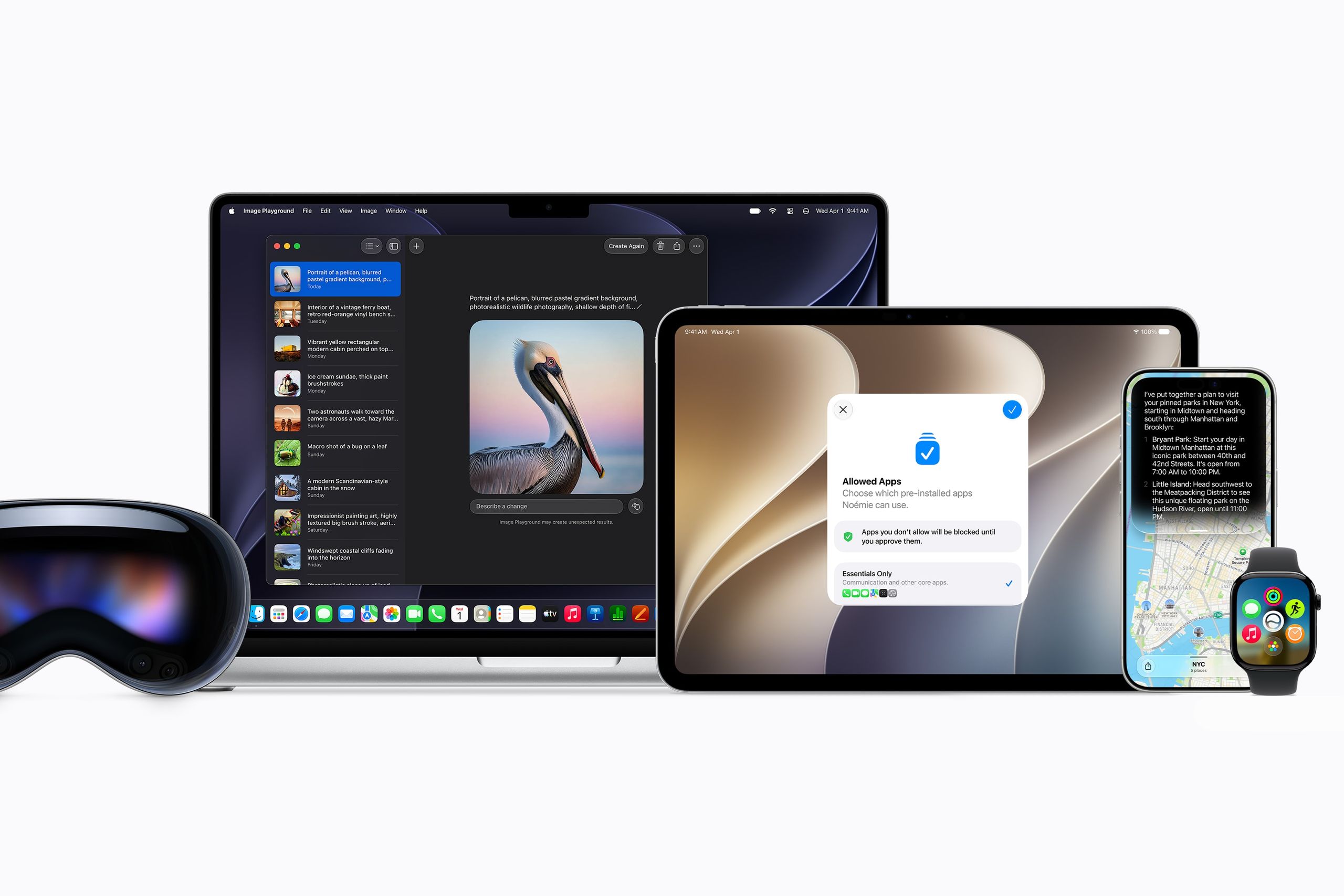
With the rise of mobile usage among younger demographics, Apple has prioritized child safety in its latest updates. iOS 27 introduces a dedicated Setup Assistant for parents configuring devices for children, offering granular control over available apps and settings. The “Ask to Browse” feature routes new websites in Safari to a parent for approval, while the Communication Safety tool blurs nudity and violence in messages and FaceTime calls by default. Time Allowances and Schedules let parents manage screen time more effectively, with the latter allowing app availability to be restricted based on specific times of the day or week. These features are supported by a redesigned parental dashboard, making it easier to monitor and adjust settings.
AI Enhancements in the Photos App
The Photos app in iOS 27 sees a significant infusion of AI-powered tools, though these are limited to newer iPhones that support Apple Intelligence—specifically the iPhone 15 Pro and newer models. The upgraded “Clean Up” feature now handles more complex object removals, often leveraging Apple’s Private Cloud Compute for larger tasks. A new “Extend” tool allows users to add more space to the edges of photos, using generative AI to fill in the gaps. “Spatial Reframing” lets users adjust a photo’s perspective, like lowering the angle of a shot, with AI filling in the new background while preserving key elements like faces and pets. These features are accessible via the Edit > Tools menu but require a higher-tier iCloud subscription for extended use.
Image Playground Gets a Powerful AI Boost
Apple’s Image Playground app has received a major upgrade with a more powerful image generation model, enabling users to create high-quality, photorealistic images with minimal input. This model is now the default, even if a specific style isn’t mentioned in the prompt. While the feature is available to all users, daily usage is capped based on the user’s iCloud subscription tier. These upgrades position Image Playground as a more competitive tool in the AI image generation space, especially for creative professionals and casual users alike.
More Contextual Actions Across Apps
Apple has introduced one-tap contextual actions in several core apps, improving efficiency and reducing user friction. In Messages, if a friend asks to meet for coffee, a “Create Event” button appears to add the meeting to the Calendar. In Mail, a “Remind Me” button can be used to set a reminder for a task mentioned in an email. The Phone app now includes Call Context, which displays relevant information about a call—like flight details during a conversation with an airline. These features bring Apple closer to the intuitive, AI-driven interfaces seen on competing platforms, offering users a more seamless and responsive experience.
Final Verdict: Incremental but Meaningful
Apple’s iOS 27 and iPadOS 27 updates may not be the most dramatic in recent memory, but they represent a focused effort to refine the user experience through performance gains, AI integrations, and thoughtful customization options. While the changes may not be as visually striking as previous major releases, they deliver a more polished, stable, and intelligent experience that aligns with the needs of both casual users and power users alike.