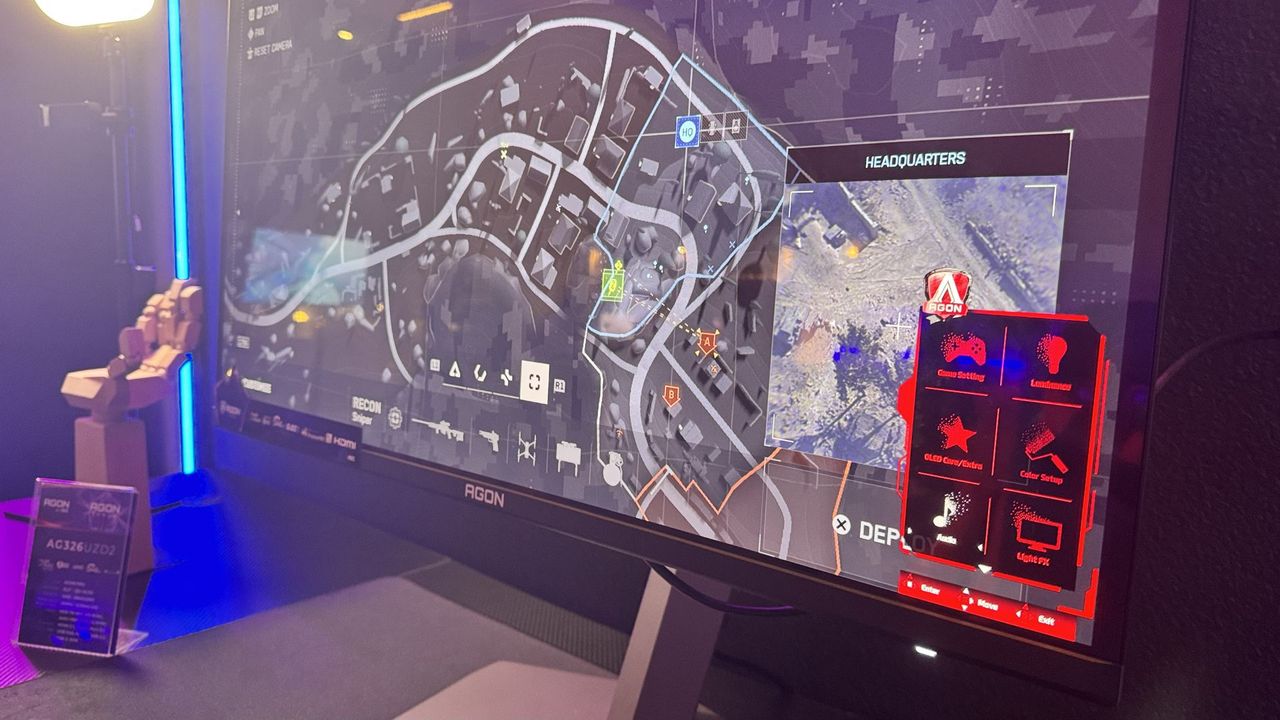
The Long-Awaited AOC OSD Update
When shopping for a new gaming monitor, buyers typically obsess over resolution, panel type, refresh rates, and response times. Yet for years, navigating the AOC OSD has been a persistent pain point, overshadowing the hardware itself. During a press event in Croatia today, Cesar Reyes Acosta, the European Commercial Leader for AOC, directly addressed this long-standing criticism. He told us, "I've read your reviews," confirming that the company’s software is "one of the most highlighted cons in reviews." Recognizing the issue, AOC is rolling out a comprehensive AOC OSD update to fix the interface across its entire lineup.
Redesigning the Interface for Faster Navigation
Streamlined Settings and Quick Access
The new interface prioritizes speed without sacrificing control. Upon opening the display menu, users are immediately greeted with essential toggles like game mode, resolution, shadows, and brightness. These core settings allow for rapid adjustments without diving into nested menus. If you need deeper customization, a second layer of granular options is just one step away. This two-tier approach ensures that casual tweaks remain effortless while power users retain full command.
Color-Coded Series Differentiation
AOC is also implementing a unified visual language to help players instantly identify their monitor’s tier. The updated UI uses distinct color themes across different product lines:
- AOC Gaming monitors feature a bold orange interface
- Agon series displays utilize a sleek red theme
- Agon Pro models are marked by a premium purple UI
This consistent branding will be deployed across all new releases, creating a cohesive experience regardless of where you shop.
Why Dual-Mode Monitors Need Better Software
Seamless Switching for Next-Gen Displays
While a clunky interface rarely breaks a monitor, it severely impacts workflow optimization. AOC is actively expanding its dual-mode monitor portfolio, which allows users to toggle between different resolutions and refresh rates on the fly. Navigating these rapid shifts requires a responsive software layer, making this AOC OSD update a critical upgrade rather than a cosmetic refresh.
Real-World Usability and User Expectations
Having tested the new layout firsthand, the interface proves mostly intuitive and straightforward. It is worth noting that the intense backlash toward the previous software seems steep for a tool many gamers rarely touch outside of OLED calibration or refresh rate swaps. However, as features grow more complex, intuitive navigation becomes non-negotiable. If you plan to leverage advanced display switching, this AOC OSD update will significantly improve your daily workflow.