Microsoft is pivoting its focus toward core usability, prioritizing fundamental OS improvements over the constant addition of AI features. In a recent update, the company announced significant changes designed to give users more control over the Windows 11 taskbar and Start menu, allowing for deeper personalization and better desktop management.
Enhanced Taskbar Customization Options
In a blog post titled "Improving Windows quality: Making Taskbar and Start more personal," Microsoft emphasized that the taskbar is central to the PC experience. The most notable update is the return of flexible positioning; users can now place the taskbar on any edge of the desktop, including the top, bottom, left, or right.
To support these new positions, Microsoft is introducing several layout configurations:
- Alignment options: The Start button and icons will dynamically align based on placement (e.g., top-aligned or centered when placed on the sides).
- Variable widths: If you choose a vertical taskbar, you can select a thin bar similar to the standard bottom configuration or a wider version featuring fully labelled buttons for active applications.
- Compact mode: An ultra-thin taskbar option will be available, which is particularly useful for users on lower-resolution displays where screen real estate is limited.
While much of this functionality existed in previous versions of Windows, its absence in the initial Windows 11 launch was a point of contention for power users. This move effectively restores those lost features while adding modern refinements.
Reimagining the Start Menu Experience
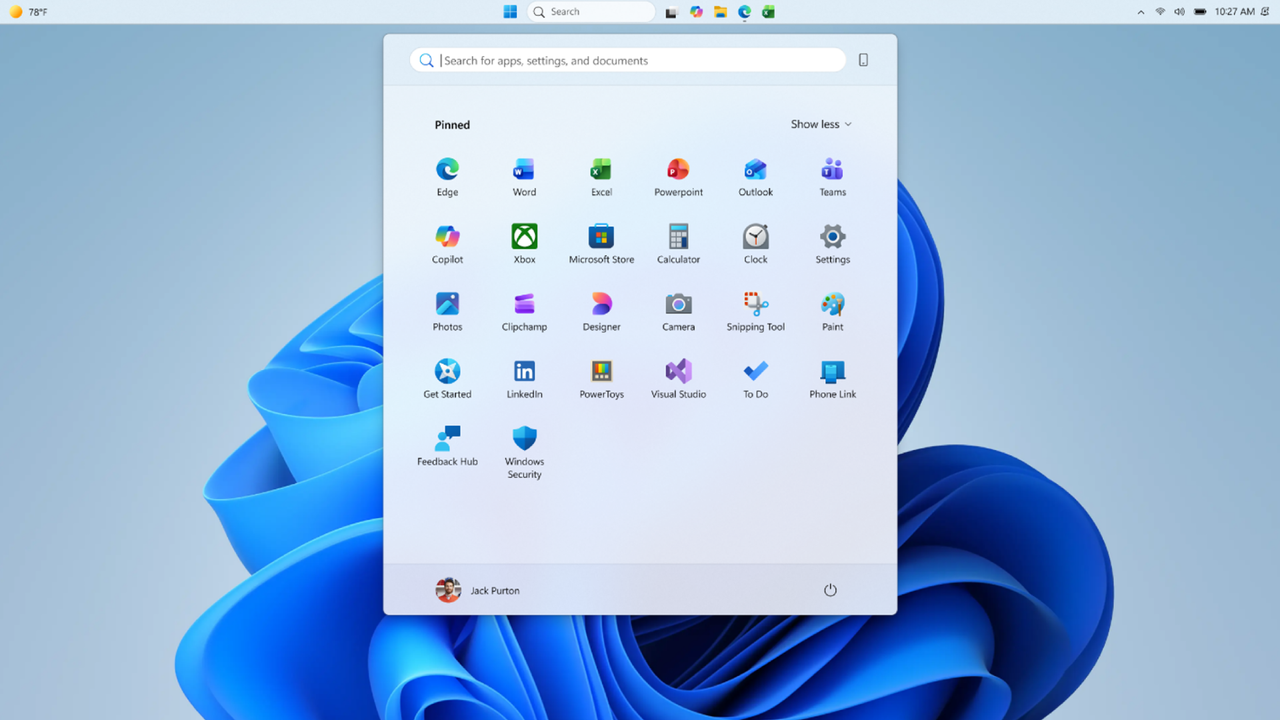
Beyond the taskbar, Microsoft is rolling out updates to improve both the configurability and quality of the Start menu. Users will gain more granular control over what they see, including section-level toggles to show or hide "Pinned," "Recommended," and "All" items.
Privacy and aesthetics are also being addressed through new settings that allow you to:
- Tweak the overall size of the Start menu.
- Hide your name and profile picture for increased privacy.
- Customize specific content sections to reduce clutter.
Improving Content Accuracy and Relevance
Microsoft is also rebranding parts of the interface to better manage user expectations. The "Recommended" section is being renamed to "Recent" to more accurately reflect its contents, such as recently installed apps and files.
To ensure this section remains useful rather than distracting, Microsoft is refining the logic behind which files appear and how they are ordered. This update aims to reduce irrelevant items and prioritize the files you are actually working on.
These updates will roll out to Windows Insiders in the Experimental channel over the coming weeks. While a specific date for a full public release has not been set, these features are expected to reach the general public within a few months.