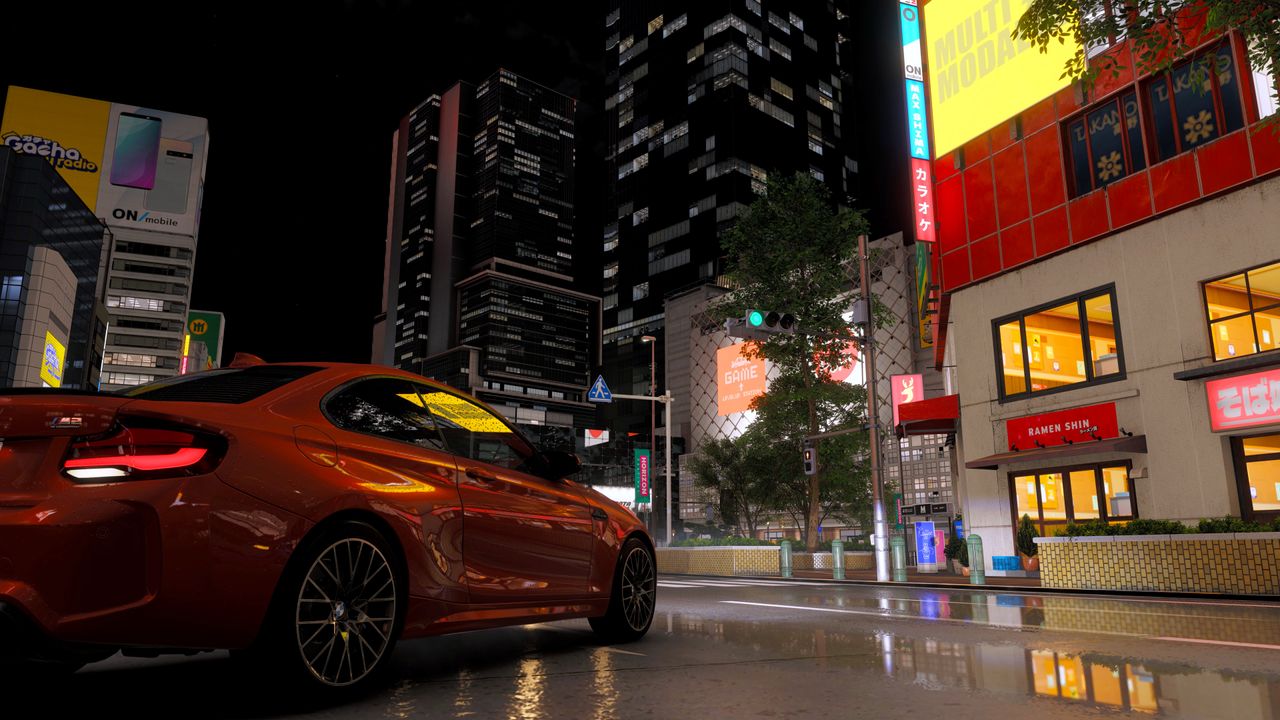
Forza Horizon 6 Ray Tracing: Why High-End Hardware Can’t Save It
I have spent the last few days stress-testing Forza Horizon 6 across a wide variety of gaming PCs, monitor resolutions, and graphical configurations. The verdict? The game is in excellent shape. It looks stunning and runs smoothly, even on older hardware, without forcing you to lean heavily on upscaling or frame generation to maintain a playable frame rate.
However, there is one specific setting that has left me deeply disappointed, despite it being an option I typically enable wherever possible. As the title suggests, this concerns ray tracing in Forza Horizon 6. Even if you own an RTX 5090, enabling these features is simply not worth the trade-off.
The Visual Compromise
Forza Horizon 6 offers two distinct ray tracing options: one for reflections and another for global illumination. Technically, both work as intended, producing pixel-perfect lighting and accurate reflections on shiny surfaces.
If you compare the visuals side-by-side, the difference is clear:
- Extreme Preset (Standard): Uses maximum quality screen-space reflections.
- Extreme+RT Preset: Enables ray-traced reflections and global illumination.
While ray-traced reflections are undoubtedly superior to screen-space alternatives—which often pop in and look disjointed—they rarely lift the visual experience to a "must-have" level. The reality of arcade racing is that you are hammering past scenery at breakneck speed. You barely have a moment to take in the details, and the flaws of screen-space reflections vanish from view before your brain registers anything is amiss.
Why Global Illumination Falls Flat
The issue becomes more pronounced with ray-traced global illumination (RTGI). In theory, this should matter everywhere, but the implementation in Forza Horizon 6 feels underwhelming. This is partly due to the nature of the game world; while it is "open world" in genre terms, the environment is vast enough that correctly lit buildings and objects rarely come into close enough focus to stand out.
Furthermore, the RTGI implementation actually scrubs away details on certain surfaces in some cases. If you look closely at doorway areas and architectural edges, you can see where the lighting calculation has smoothed over textures that should be distinct. It doesn’t add the depth you would expect; instead, it often looks flat or "meh."
The Performance Hit on Elite Hardware
I am usually the kind of PC gamer who twists every graphics knob to the maximum setting, then tweaks upscaling and frame generation to hit target frame rates. So, I ran the numbers on top-tier hardware.
Using an RTX 5090 at 4K resolution with DLSS Quality:
- The frame rate difference between the Extreme preset and the Extreme+RT preset is roughly 36%.
While this is not a massive performance killer and can be recouped with a touch more upscaling or frame generation, it is not trivial. More importantly, I am just not happy with how RTGI looks in this specific title. The screen-space reflections do not bother me during high-speed gameplay, so my post-testing driving has been entirely without ray tracing enabled.
Verdict: Skip the RTX Settings
It is a refreshing change to find a setting that doesn’t swallow half your performance, but for Forza Horizon 6, the visual gain just isn't there. You might find the ray-traced option very nice if you prefer to drive slowly and admire the scenery, and the options are accessible at lower settings and resolutions.
However, for the high-speed arcade experience the series is known for, the technology fails to deliver a compelling visual upgrade. I have the hardware to cope with it all, but I don’t recommend using it.
Now, if you'll excuse me, I’ve got a dinky minivan to hoon around Tokyo. I want to see if I get two wheels off the ground mid-corner. Wish me luck.