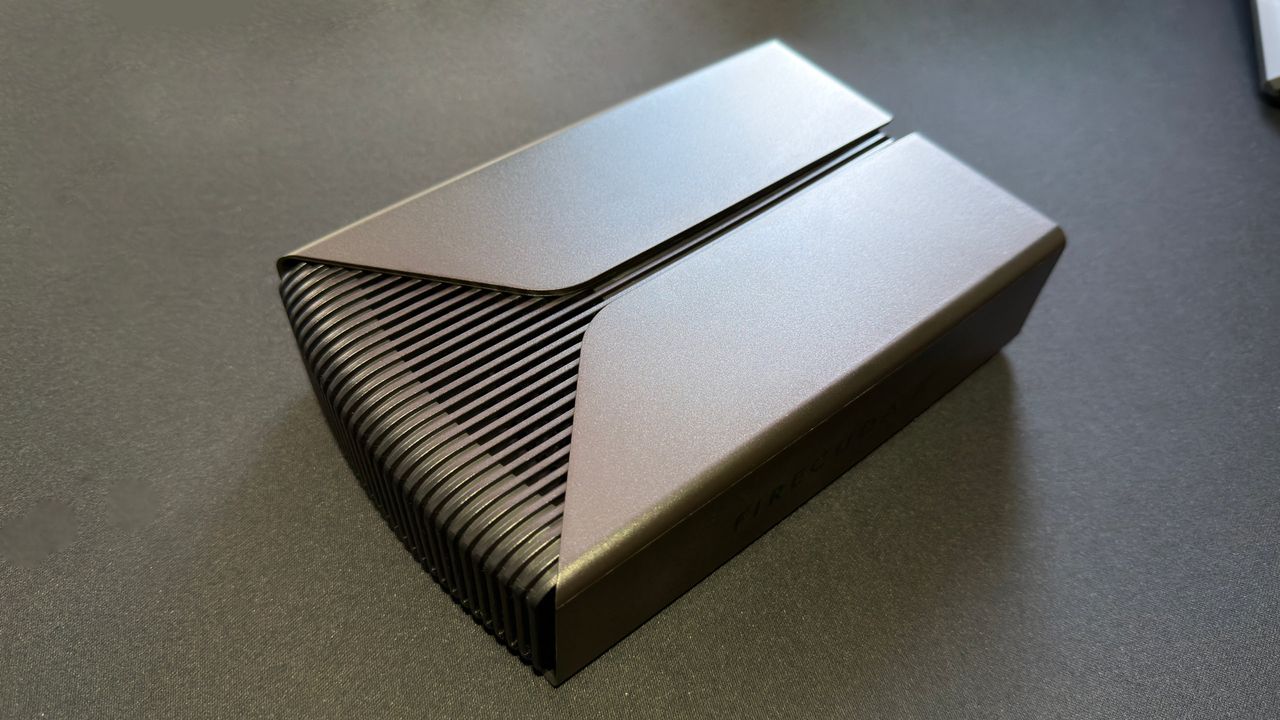
While SSDs have steadily improved in speed and reliability, a high-capacity hard disk drive remains a vital consideration for any gaming PC. When calculating outright storage per dollar, nothing beats an HDD—especially now that DRAM and flash memory remain prohibitively expensive. This Seagate FireCuda X Vault review explores how Seagate’s newest external offering attempts to bridge the gap between massive capacity and modern aesthetics.
The FireCuda X Vault arrives as a large-capacity HDD housed in a substantial enclosure, featuring integrated RGB lighting and a high-speed USB connection. Available in both 8 TB and 20 TB capacities, it is designed for easy integration into your setup. However, there are some technical hurdles to keep in' mind before you buy.
Seagate FireCuda X Vault Review: Connectivity and Power Requirements
While the drive is intended to be simple to use, the "plug and play" experience depends heavily on your hardware. First, the USB port on your host PC must provide at least 15 W of power to keep the X Vault running. Because many motherboards and laptops do not explicitly state their maximum USB power output, you may need to test your ports manually. Fortunately, the drive features a small LED by the USB socket that flashes red if it isn't receiving enough juice.
Furthermore, to achieve peak performance, you must use a USB 3.2 Gen 2 (10 Gbps) port. If you are using an older gaming PC that only supports Gen 1 speeds, or ports with insufficient power delivery, you won't see the drive's full potential. It is essential to verify your hardware capabilities before purchasing.
Key Technical Specifications
- Available Capacities: 8 TB (reviewed) and 20 TB
- Interface: USB 3.2 Gen 2 Type-C
- Spindle Speed: 5,400 rpm
- Cache: 256 MB
- Power Requirement: $\ge$15 W via USB
- Supported OS: Windows and macOS
- Price: $270/£280 (8 TB), $476/£486 (20 TB)
Features, Software, and Performance Benchmarks
Beyond the raw storage, Seagate includes several useful extras. The Seagate Toolkit app provides essential tools like incremental backup and real-time folder mirroring. You can also manage the drive's RGB lighting through the app or via Windows 11 settings. Additionally, the drive comes with a two-year warranty that includes access to a data recovery service.
To evaluate the performance of the Seagate FireCuda X Vault, we tested it on a high-end gaming rig featuring an Intel Core Ultra 7 265K processor, an ASRock Z890 Taichi Lite motherboard, and 48 GB of Corsair Dominator DDR5-8000 memory. We used a Thunderbolt 4 port and verified the connection via USBTreeView to ensure it was operating at the full 10 Gbps speed.
In our 3DMark Storage benchmarks, the results highlight the difference between spinning platters and modern NAND flash:
| Drive Model | Bandwidth (MB/s) | 3DMark Index | Average Access Time ($\mu$s) | | :--- | :--- | :--- | :--- | | Seagate FireCuda X Vault | 180 | 32.89 | 1056 | | Adata HD710 Pro (HDD) | 63 | 11.74 | 3046 | | Crucial X9 (SSD) | 875 | 152 | 208 | | TeamGroup PD20 Mini (SSD) | 934 | 161.5 | 194 |
While the Seagate FireCuda X Vault significantly outperforms older models like the Adata HD710 Pro, it still cannot match the blistering speeds of external SSDs. However, for users needing massive amounts of data storage on a budget, it remains a compelling option.