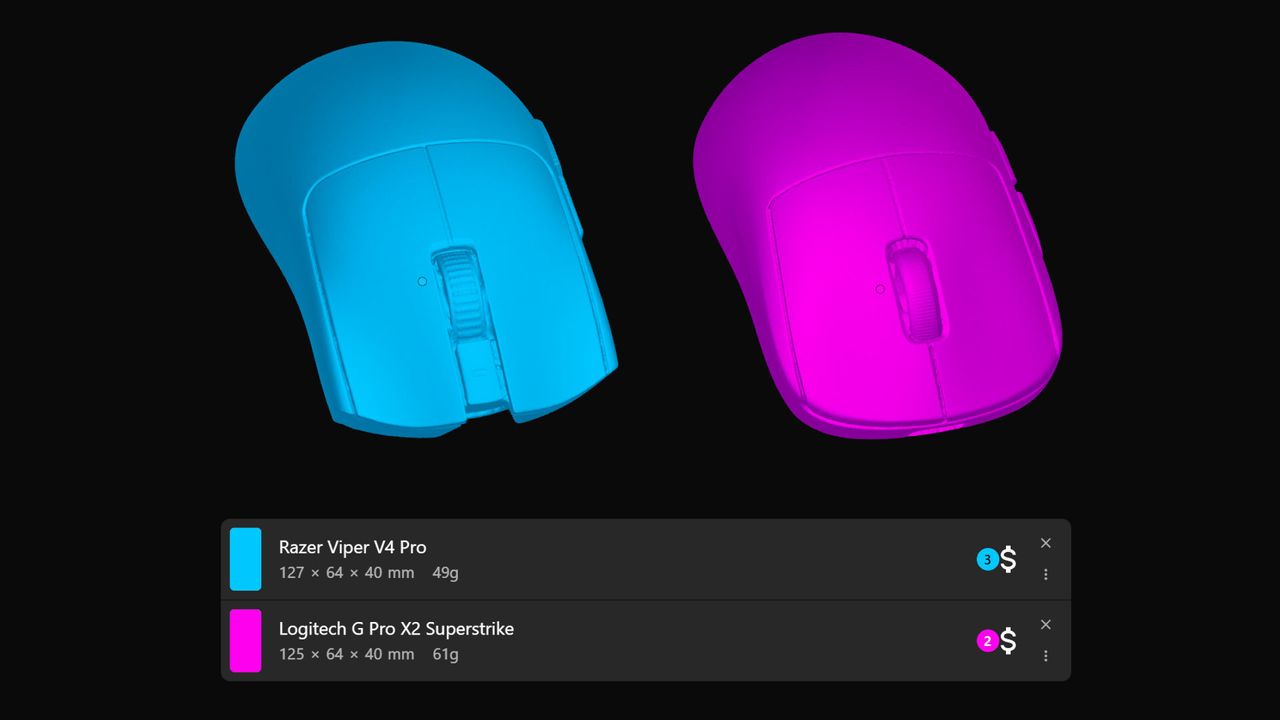
Hearken, fellow gaming mouse nerds. Tighten your suspenders, strap in, and feast your eyes on a massive upgrade for enthusiasts. While we have been graced by the existence of EloShapes for some time, it previously only allowed you to visually compare 2D outlines. Now, the tool finally allows you to compare gaming mouse shapes in full 3D.
Beyond being incredibly cool, this update provides a vital way to compare new mice to baselines you already know. For instance, if you know you like a Logitech Superlight shape, you can instantly see how similar another mouse is before you buy it.
This has been the most requested feature since launch. Due to time and resource limitations, the developer was unable to add it for a long time; however, that changed recently when they left their full-time job to focus entirely on EloShapes.
Why you should compare gaming mouse shapes in full 3D
If you have experience with various mice, this tool helps you predict how an untested mouse will feel. If you see a new model has a shape more similar to a Razer Viper than a Superlight, and you have tried both, you will have a much better idea of the ergonomics.
Using 3D models allows for a level of depth that 2D outlines simply cannot provide. It is an essential tool for anyone trying to understand the nuances of button height, flare, and overall volume.
How to use the new 3D comparison feature
Using the tool is simple, though we recommend keeping your comparisons limited to two mice at a time to prevent confusion. Follow these steps:
- Hover over Mice in the top menu and click Compare.
- Add whichever mice you wish to add to the comparison.
- Select the 3D option located at the bottom of the menu.
- Choose whether to view them side-by-side or stacked.
The secret trick for stacking models
Comparing two mice while they are stacked is arguably the most useful method, as it provides an easier visual cue for any differences. However, there is one crucial trick you shouldn't miss: hover over the name of each mouse.
Doing this highlights the rendering of the specific model you are hovering over. This ensures that even if a mouse is smaller or "inside" another, it remains visible while the other model stays faintly in the background.
For example, using this trick gives you a much clearer picture of how the front of the Logitech G Pro X2 Superstrike compares to the more flared and taller buttons of the Razer Viper V4 Pro.
Of course, nothing can truly replace testing a mouse yourself. If that isn't possible, checking out our spectacular reviews is your next best option. But if you already know what you like, this is another great tool for your arsenal when making a purchasing decision.