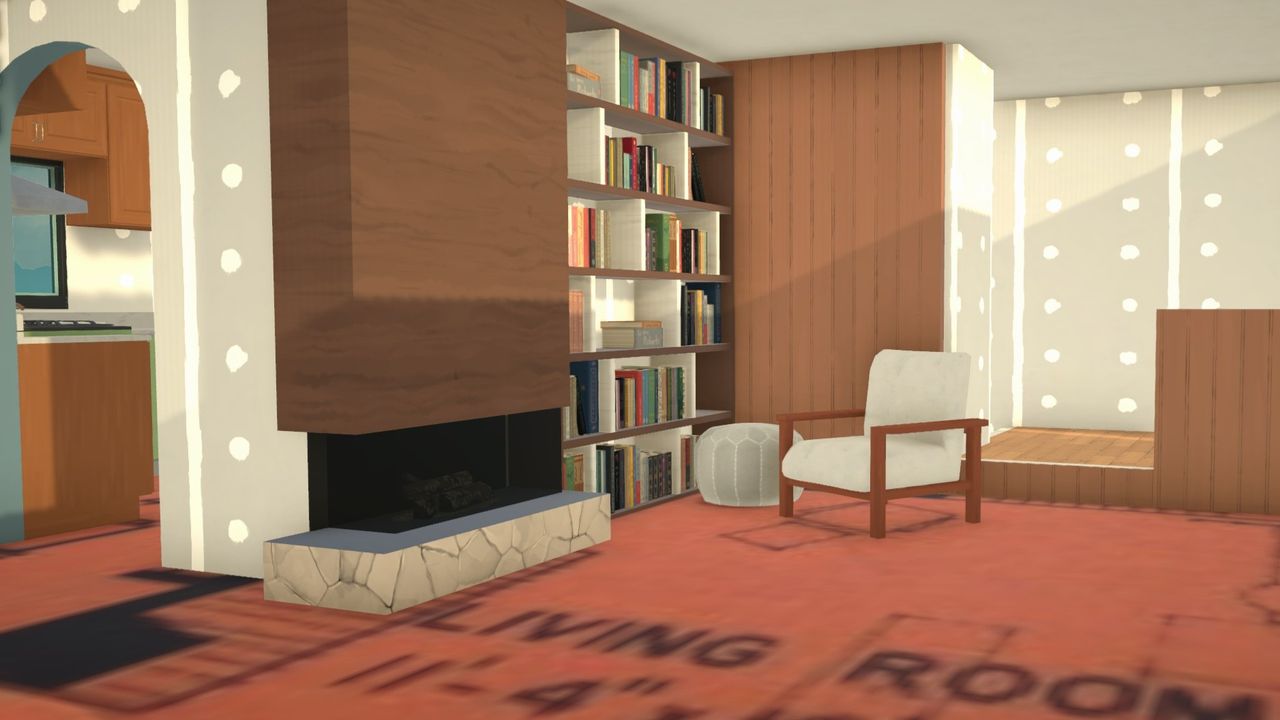
Life sim player tradition (or stubborness?) dictates I often attempt to build a real house—my childhood home or one I drove past last week—and yet in The Sims, I always wind up frustrated that the series' grid-based building has never been able to quite replicate actual floor plans. I've become totally enamored with building in Paralives because its gridless, real world measurements make so many designs possible, even going so far as just slapping a real life blueprint into the game and tracing it.
In the week after Paralives launched, lots of players were sharing the possibilities of importing custom images. One trick, which just requires a small mod, is uploading an image of a real blueprint and putting it onto a rug which you can use like a guide to draw all your walls in Build Mode. Incredibly it just… works?
How to use a custom rug floor plan in ParalivesWhen you import your blueprint, it won't be the correct size by default.Paralives StudioBuild two walls in the exact measurements listed and use those to resize your image to match.Paralives StudioYou can change your units of measurement from metric to imperial in the settings menu.Paralives StudioAfter building all your walls and doors, you can move the rug out of the way.Paralives Studio- Download Bunny's Customizable Rug in the Steam Workshop
- Save an image on your PC of a floor plan you want to replicate (one that shows measurements, ideally)
- Use the search function (magnifying glass) in the Build Mode menu to find Bunny's Custom Rug
- Click the "change image" picture icon and scroll down to find the custom image "+" button
- Import your blueprint image and resize the rug to the correct scale
- Make sure to toggle the grid off when building walls and verify you're using the matching measurement type (metric or imperial) in your game settings
- Trace your walls!
To get the scale of your image correct, check the measurements of a room in your blueprint and build two perpendicular walls in the lengths specified. Use the resizing arrows on the rug to line those walls up on your blueprint. With your measurements aligned, you're free to trace away.
In The Sims games, which I've always loved building in, you've got to treat the dimensions of real houses more as inspiration. Tiny rooms like hall closets or half baths are a bit too big even when you make them a single wall tile wide, and bedrooms always have to be a bit bigger than seems realistic just to fit a tiny twin bed.
It was so fun to see a blueprint just translate nearly perfectly into Paralives. The moment of truth was when I finished its small but realistic 8'x11' bedrooms and went to see if a standard size bed would fit and, miracle of miracles, it does. Even my linen closets in the hall just work.
It just works! (Image credit: Paralives Studio)The one bit of scale that I've struggled with in Paralives are the showers. Even those miniscule rounded corner showers measure 4sqft in game. I've been in one of those things in real life and can assure you they are not four feet wide. Since showers are one of the few structural bits in Paralives that can't be resized, because of the animations for showering I assume, it means a few of the realistically cramped bathrooms I've attempted haven't worked out. Alas, I haven't spotted a workshop mod with smaller showers yet.
Otherwise, building true to real life scale has been such a treat after spending 20+ years finagling uncanny replications of the homes in my neighborhood. I wish I could tell my ten-year-old self about this.