XR glasses like the Viture Beast XR Glasses have been on the market for a few years now, but I have always viewed them as a technological gimmick. Back when the original Legion Go handheld launched, I tried Lenovo’s first attempt at the Legion Glasses. While they were undeniably neat, they were fiddly to use and ultimately gave me a headache.
However, a lot has changed in the last few years. The Viture Beast XR glasses deliver the visceral feeling of a gaming headset, but integrated directly into your line of sight. The 1200p combined display looks crisp, and the speakers embedded in the temples are robust enough that I no longer feel the need to dig out headphones to wear awkwardly on top of them.
More importantly, these glasses are actually comfortable to wear for more than ten minutes. In a world where handheld gaming has exploded in popularity, that is a huge deal. No matter how good the built-in displays on the Legion Go 2 or the Switch 2 are, nothing quite beats laying back and playing your games on a giant TV that your brain has been tricked into thinking is on your ceiling.
What Are XR Glasses and How Do They Work?
If you aren’t already a "handheld gaming sicko," it is very likely you have never heard of XR glasses before. Essentially, these are glasses with tiny displays embedded behind each lens, projecting an image directly in front of your eyes. Because there are two displays so close to your eyes, the glasses trick your brain into perceiving a much larger screen than physically exists.
It is crucial to understand that nothing is actually running on these XR glasses. Think of them as a monitor you can strap to your face, connecting to whichever device you choose, provided it supports USB-C display output.
Right out of the gate, this compatibility opens up a massive range of devices for expanding screen real estate:
- Smartphones and tablets
- 14-inch work laptops used for hunched-over productivity
- Handheld gaming PCs like the Xbox Ally X
Viture claims the Beast glasses simulate a 174-inch screen on its highest setting. While I cannot break out a tape measure to verify this, the immersive depth feels entirely accurate.
Why the Viture Beast is Essential for Travel
The biggest benefit I have found with the Viture Beast and other XR glasses is plugging them into a handheld gaming PC like the Xbox Ally X, especially while traveling. Despite the progress handhelds have made in comfort, they can still weigh you down during a long flight.
With the Viture Beast XR Glasses, you can lay your head back and play on a giant screen while simply holding your device in your lap. This eliminates the neck strain associated with staring at a small 7-inch screen for hours.
Even at home, where I lack the space for large TVs, I use these glasses to watch TV or play games without straining my eyes. While we are still in the early days of XR technology, it is getting more sophisticated rapidly. As portable gaming becomes more ubiquitous, these glasses will likely become a standard accessory.
Design and Physical Features
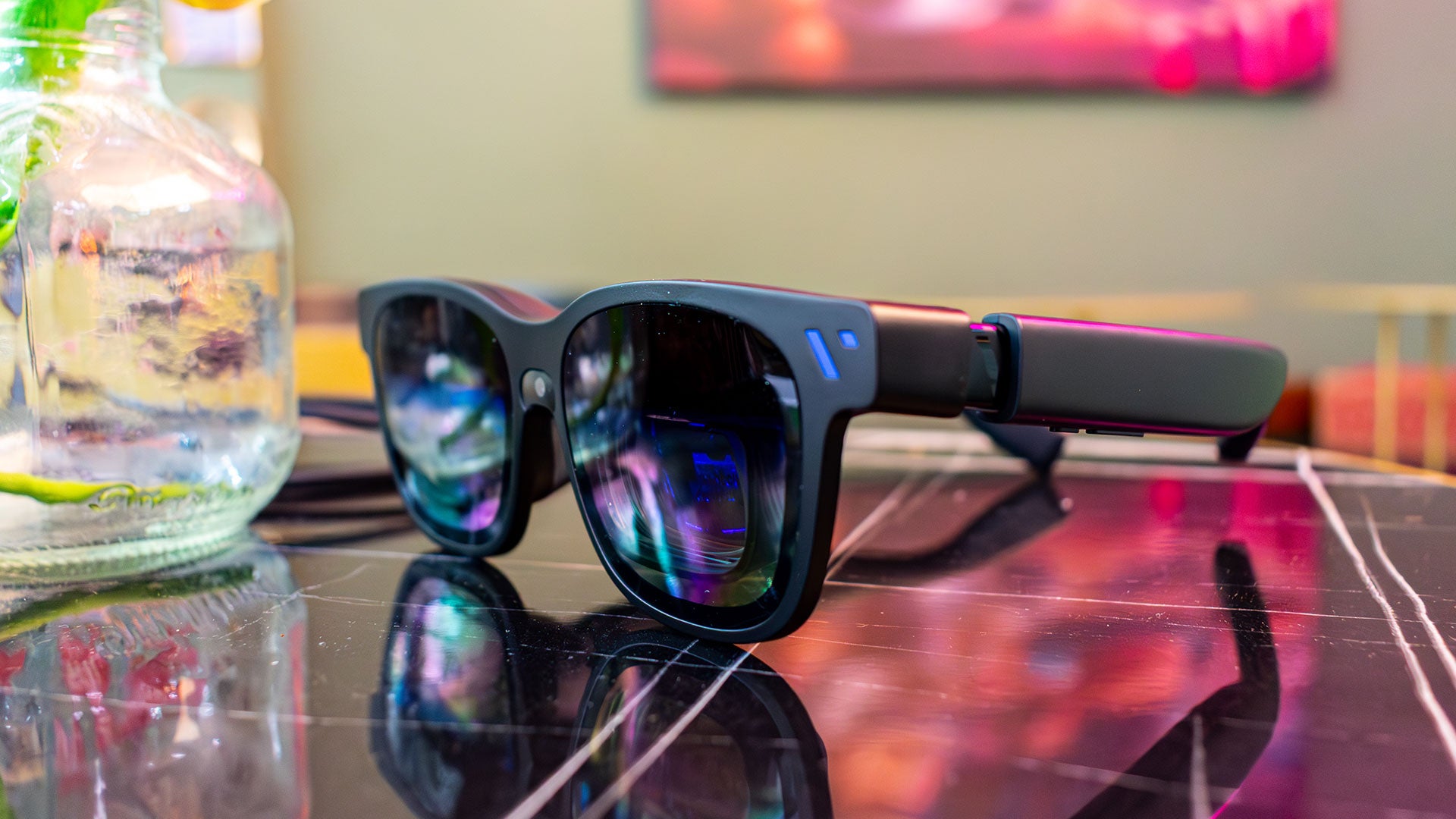
Out of the box, the Viture Beast glasses resemble particularly thick sunglasses. Because the displays must sit behind the lenses, they necessarily stick out from your face. This design choice makes them look somewhat "dorky" compared to standard eyewear, and the temples are quite thick due to the integrated speakers and control buttons.
While Viture aimed for an unassuming aesthetic, it is undeniable that you are wearing a device on your face. However, for home use or travel, this is a minor trade-off for the immersive experience.
Key Design Elements
- The 'V' Logo and Camera: The front features a logo in the top right corner and a camera between the lenses. Currently, this camera tracks head movement to keep the display aligned with your gaze. Viture claims it will eventually support spatial computing. A sticker sheet of camera covers is included if you are uncomfortable with a face-mounted lens.
- Display Shrouds: The top of each lens has a shroud housing the display. These can get quite warm during use. While not an issue for me yet, using the Beast during a hot summer’s day might be miserable. Conversely, the cold environment of an airplane helps balance the heat.
- Interchangeable Nosepads: Below the shroud is the nosepad, which comes with three different options for various nose sizes. The goal is to sit the glasses as close to your eyes as possible for clarity. If the glasses slide down, the display becomes blurry, which can induce headaches.
- Mirror Projection: The two humps at the top use mirrors to project the display down to each eye. This creates the illusion of one giant monitor. The effect diminishes if you move further away from the prism display.
- Controls: On the bottom of each temple are two buttons. The long button acts as a volume rocker by default, while the short button controls transparency. Turning transparency all the way down allows you to see your environment clearly.
Pricing and Availability
The Viture Beast XR glasses are available now directly from Viture's website.
- Base Price: $549 (includes glasses and carrying case)
- Mobile Dock: $99 (required for Nintendo Switch 2 compatibility)
While the initial investment is significant, the ability to transform any USB-C device into a massive, immersive screen offers a compelling value proposition for frequent travelers and handheld PC enthusiasts alike.