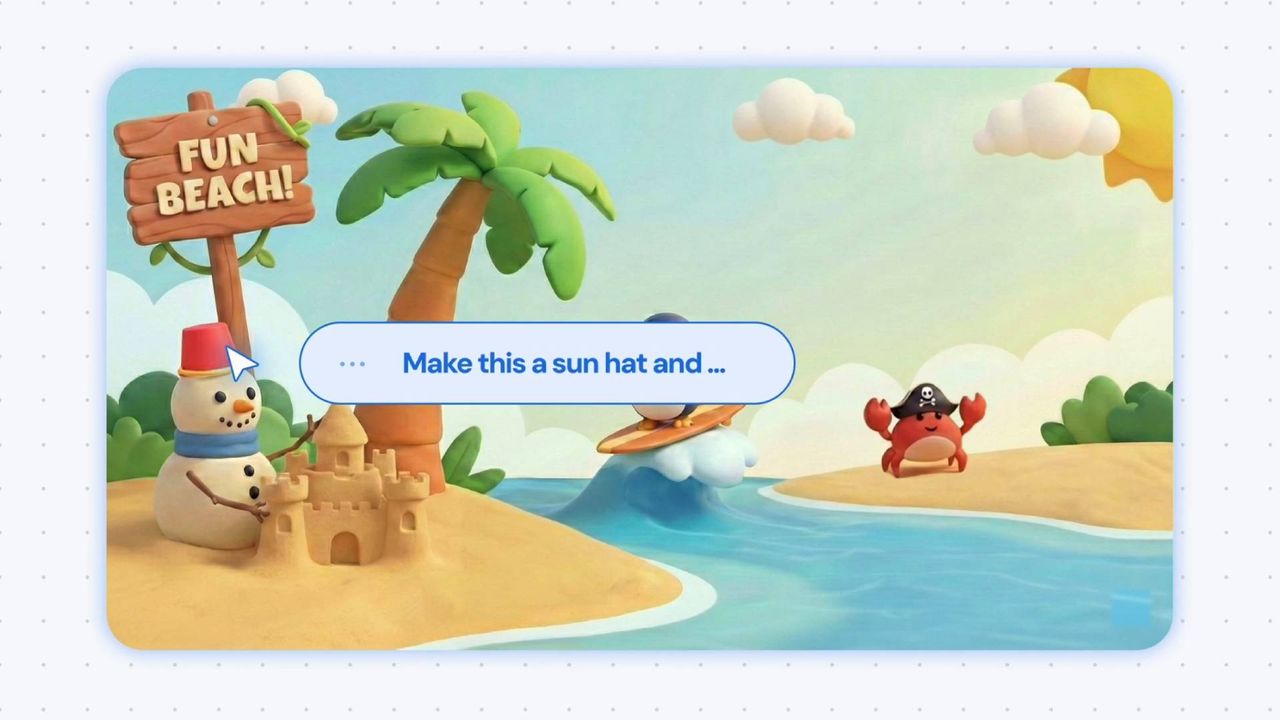
Google DeepMind is attempting to reinvent the mouse cursor by embedding artificial intelligence directly into the pointer itself. The concept challenges the decades-old standard of user interface interaction, proposing a system where the cursor acts as an active agent rather than a passive indicator.
"The mouse cursor is something that has been forgotten," argues Adrien Baranes, a staff researcher prototyping Human-AI Interactions at Google DeepMind. His vision is succinct: "What if behind the pointer, there was an AI model, like Gemini, trying to interpret whatever we are saying, like another person would."
This experimental demo aims to reduce the friction of digital tasks. By allowing users to bark commands at Gemini, the tool significantly reduces the number of clicks required to perform standard operations, such as copying recipe ingredients into a shopping list. However, the project’s true innovation lies not just in speed, but in its ability to navigate complex contextual challenges.
Contextual Awareness Over Precision
Current AI models often require precise, rigid instructions to function correctly. Google DeepMind’s approach seeks to remove that burden by enabling the AI-enabled pointer to "see" what is under the cursor. This visual context allows the system to instantly understand the specific word, image, or code block the user needs help with, regardless of the surrounding environment.
Rather than relying on the AI to consistently distinguish between a shopping list, a recipe, a food fight, or a hamburger costume, the system leverages a combination of cursor gestures and naturalistic commands. Phrases like "move this here" guide the AI in the right direction, creating a more intuitive interaction model.
These experimental demos showcase how users can intuitively direct Gemini using:
- Motion: Dragging the cursor across elements to select them.
- Speech: Using natural shorthand and voice commands.
- Contextual Pointing: Directing attention to specific screen areas for processing.
Real-World Applications and Privacy Concerns
The demos explore practical scenarios that highlight the potential of this mouse cursor AI enhancement. For instance, a user watching a video about "top 10 places to eat in Tokyo" can drag their cursor across an eatery's signage. Gemini can then agentic-ly take the user through the process of booking a table for the following evening.
While this streamlines complex tasks, it raises significant questions regarding security and privacy. Letting an AI agent access emails or important data is a major concern for many users. Additionally, the technology must handle misclicks gracefully, particularly in scenarios involving multiple steps where a user might need to backpedal.
There is also the fundamental question of necessity. Many argue that the mouse interface, now nearly 50 years old, does not need AI reinvigoration. Beyond the "if it ain't broke" argument, users may be uncomfortable with an AI having an "eyeful" of their desktop.
Data Usage and Trust
Understanding how Google handles data from such demos is crucial for user trust. Official support documentation for Gemini apps clarifies that if you switch Smart Features on in Gmail, Google will not scan your emails to train its core AI models. Instead, only "summaries, excerpts, generated media, and inferences" resulting from your prompts are used as training data.
If this cursor demo becomes widely available, it is likely that Gemini would not report the raw contents of your SSD to Google. However, the technology could still infer significant details about your daily activities, effectively telling Google what you do all day at your desk. For many, the idea of an AI monitoring their typing habits or reading errors—such as frequently misspelling "embarrassment" or "occasionally"—is an invasion of privacy they are unwilling to accept.