The Android tablet market has quietly shed its reputation as a secondary device category. Once dismissed by Silicon Valley as a "dog food" niche that couldn't compete with iPad’s ecosystem lock-in, it has matured into a sophisticated alternative for power users. By 2026, the divide between mobile phones and tablet computers has blurred significantly.
This transformation is driven by chipsets that rival laptop processors and software frameworks finally supporting true desktop-like multitasking. Manufacturers are no longer engineering tablets as mere media consumption devices but as legitimate workstation replacements. The current landscape is defined by a three-way tug-of-war between performance efficiency, premium hardware integration, and raw value.
OnePlus Pad 3: The Efficiency King
For users who prioritize battery life and open multitasking over OLED vibrancy, the OnePlus Pad 3 stands as the most pragmatic choice in 2026. Its foundation is the Qualcomm Snapdragon 8 Elite chipset, a processor capable of handling 4K video editing and heavy gaming without the thermal throttling issues that plagued earlier generations.
The device features a 13.2-inch LCD panel. While not OLED, it offers a 3.4K resolution with a 144Hz refresh rate. This panel is surprisingly bright and readable even in direct sunlight, offering a practical advantage for outdoor use. However, the real differentiator is OnePlus's Open Canvas interface. This software layer allows for a unique window management system where users can stack three applications simultaneously.
Unlike Samsung’s more traditional desktop mode, Open Canvas encourages a fluid workflow where text editors, browsers, and reference materials can be layered vertically or horizontally with minimal friction.
Key Performance Metrics
- Battery Performance: The Pad 3 maintains charge for days in standby mode, with real-world usage easily exceeding 10 hours of mixed media consumption.
- Charging Speed: An 80-watt charger replenishes the battery to 50% in under 30 minutes, a critical feature for travelers.
- Keyboard Limitations: The optional $200 keyboard cover, while functional, lacks the structural rigidity of premium competitors, making it less suitable for lap-based typing.
OnePlus’s merger with Realme has cast a shadow over its long-term software support roadmap, but for now, the Pad 3 remains a stellar all-rounder for those who want a tablet that works as hard as they do.
Samsung Galaxy Tab S11 Ultra: The Premium Workstation
If budget is secondary to screen real estate and professional integration, the Samsung Galaxy Tab S11 Ultra is the definitive Android tablet. Its 14.6-inch AMOLED display is a masterpiece of modern display engineering, hitting 1,600 nits of peak brightness and offering colors that outshine even Apple’s ProMotion displays.
The device runs on Android 16 with the MediaTek Dimensity 9400+ chipset. This combination ensures that even resource-heavy desktop applications run smoothly. Samsung’s DeX mode has matured into a genuine laptop competitor. When connected to an external monitor, the tablet transforms into a full desktop environment with windowed apps, a taskbar, and mouse cursor support. This makes the S11 Ultra viable for professionals who need to run multiple windows of Office 365, Slack, and code editors simultaneously.
The device supports up to 16GB of RAM in its highest configuration, ensuring that memory-intensive tasks do not cause stuttering. For users who treat their tablet as a primary computing device, the S11 Ultra’s ecosystem of accessories and its robust software support make it the safest long-term investment.
Critical Considerations
- Display Technology: The AMOLED panel provides perfect blacks and infinite contrast, making it ideal for media consumption and creative work.
- Desktop Mode: DeX offers a polished, stable experience that rivals Windows and macOS for light professional tasks.
- Portability Trade-off: At 14.6 inches and nearly an inch thick, the Ultra is heavy and cumbersome for extended handheld use.
Budget Contenders: Lenovo and Amazon Fire
In the budget sector, the Lenovo Idea Tab Pro and Amazon Fire HD 10 serve vastly different purposes, yet both are essential considerations for 2026 buyers. The Idea Tab Pro, often dipping below $300, offers surprising performance for its price point. Powered by the MediaTek Dimensity 8300, it handles 4K playback and casual gaming with ease. Its 12.7-inch 3K LCD screen is bright and sharp, and the inclusion of a stylus in the box adds significant value for note-takers.
However, the Idea Tab Pro’s software experience is marred by aggressive bloatware. Users must spend time uninstalling unwanted applications like Block Puzzle and TikTok clones, a frustrating echo of early 2010s computing. Furthermore, Android 16 is likely the final major OS update, meaning long-term software support is limited.
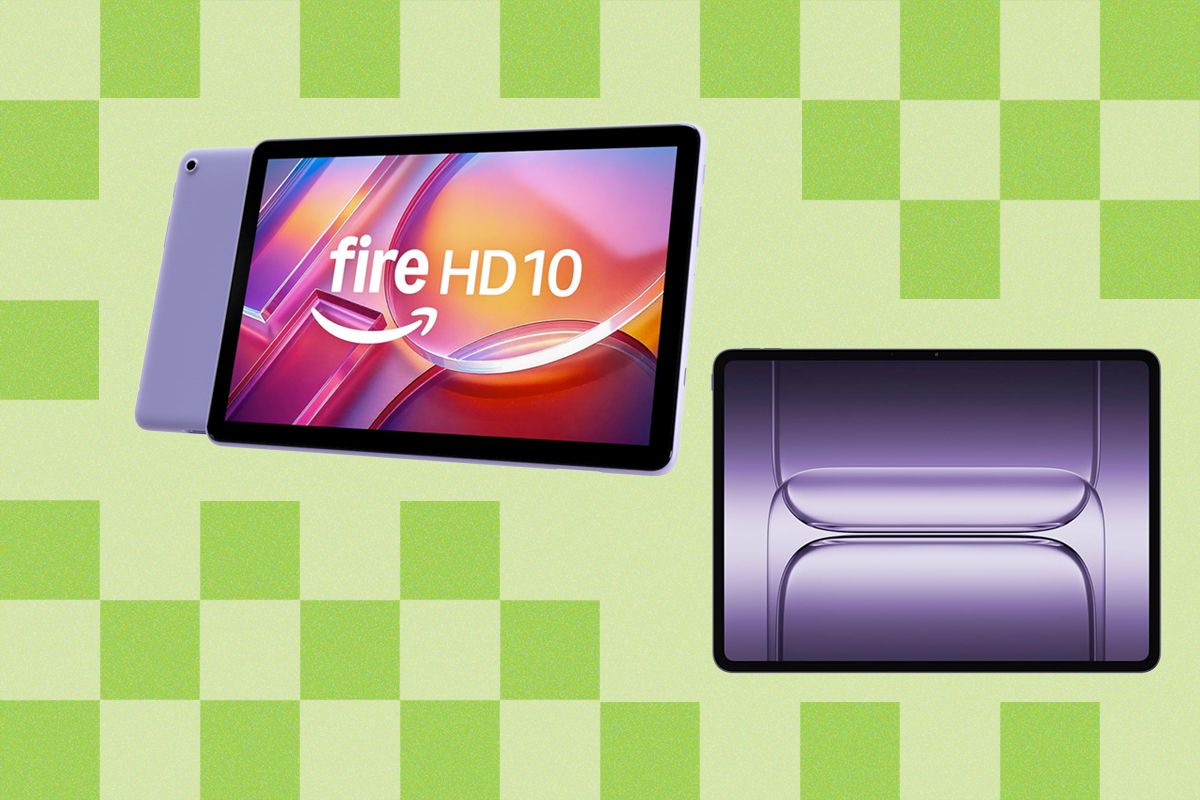
The Amazon Fire HD 10, available for as low as $140, is a different beast entirely. It runs a heavily modified version of Android that locks users into Amazon’s app store. While side-loading is possible, it voids the ease of use that defines the ecosystem. The Fire HD 10 is strictly a media device; its lack of Google services and sluggish interface make it unsuitable for any form of productivity.
Specification Comparison
| Feature | Lenovo Idea Tab Pro | Amazon Fire HD 10 | | :--- | :--- | :--- | | Processor | MediaTek Dimensity 8300 | Octa-core (Proprietary) | | Screen | 12.7-inch 3K LCD | 10-inch 1080p LCD | | Storage | Expandable via microSD | Expandable via microSD | | Software | Android 16 (Limited Updates) | Fire OS (Custom Android) | | Best For | Casual productivity | Media consumption |
Final Verdict on Android Tablets in 2026
The gap between a $300 device and a $1,000 flagship has narrowed in terms of daily usability, provided buyers can tolerate pre-installed bloatware on budget models.
- Choose the OnePlus Pad 3 if you need long battery life, efficient multitasking, and a bright screen for various environments.
- Select the Samsung Galaxy Tab S11 Ultra if you require a premium display, professional desktop integration via DeX, and top-tier performance.
- Opt for the Lenovo Idea Tab Pro for budget-conscious productivity that still offers stylus support and sharp visuals.
- Pick the Amazon Fire HD 10 strictly for media consumption, keeping in mind its walled-garden ecosystem.