Why the MacBook Neo's Storage Options Are Limiting (But Reversible)
Apple's new MacBook Neo has given the Windows-based laptop market something to think about, but it also presents a dilemma for storage enthusiasts. Powered by the same chip used in the iPhone 16, this $599 computer is reportedly selling very well despite being limited to a max of 512 GB as its best storage option out of the box. If you are frustrated with these constraints, know that doubling that capacity is a distinct possibility if you possess lots of electronics gear, years of experience, and nerves of steel.
The DIY Flash Upgrade Process
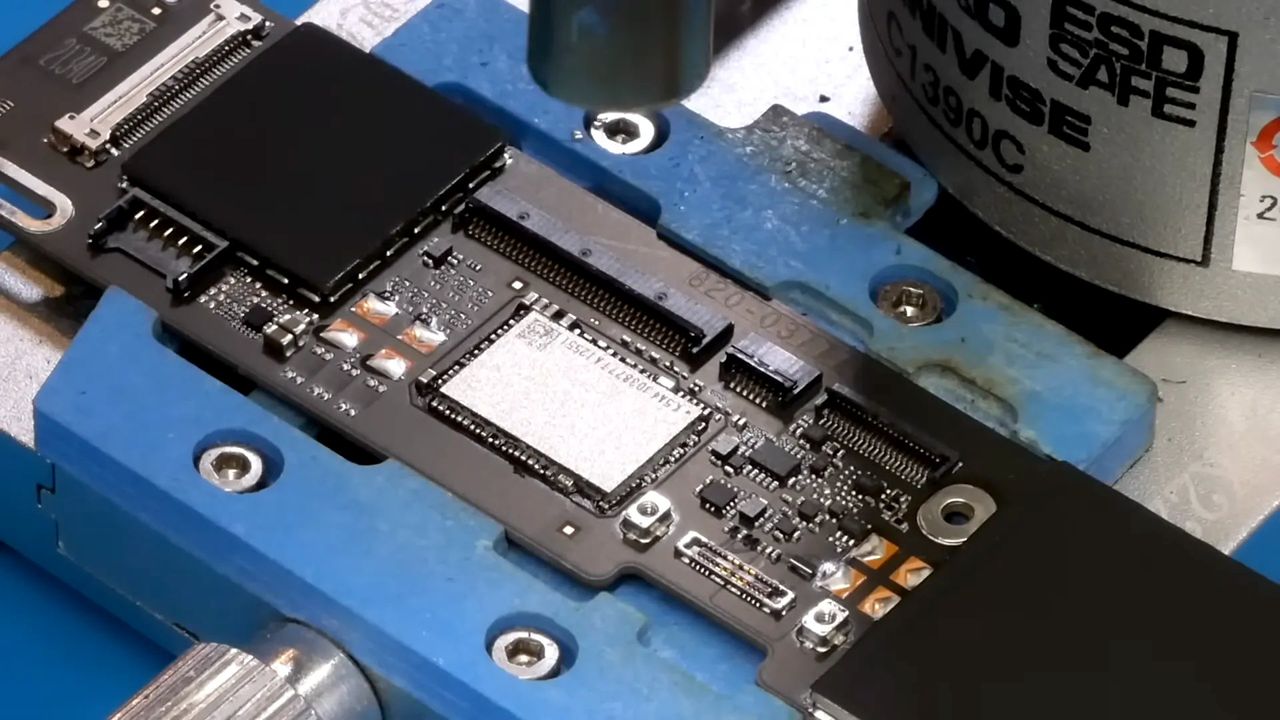
The mastermind behind this feat is YouTuber dosdude1, who demonstrated how to transform the base Neo model—which comes with just 256 GB—into a powerhouse with a massive 1 TB storage module. The premise sounds simple: remove the original NAND flash chip and solder in a larger one, but the execution requires precision.
Dosdude1 begins by verifying that the new flash chip is completely blank using dedicated devices and software before attaching a full array of solder balls. This step alone is far from trivial, requiring all necessary equipment to avoid damaging the components. The real challenge arises because the MacBook Neo uses a single, soldered NAND flash chip surrounded by numerous surface-mounted devices (SMDs).
Unlike standard low-cost laptops where chips can be lifted easily, this specific setup features an underside jammed with "underfill," making removal difficult. However, dosdude1 overcomes these hurdles using judicious shimmying with tools and generous heat. In a surprising twist, one SMD had to be removed first just to allow the tool access to the underfill, proving that this flash lobotomy requires patience and skill.
Is It Worth the Risk?
Interestingly, the mounting area on the circuit board has more pads than the flash chip itself suggests. This indicates that Apple likely designed the Neo to physically support a larger device but chose not to include it for cost reasons given how expensive SSDs have become recently. Once the old chip is swapped out—a process that takes mere moments—it is time for the final stage: booting the Neo into DFU mode.
Using another Apple device, dosdude1 successfully transferred the operating system and files onto the new 1 TB drive without a hitch. This seamless transition suggests the upgrade is technically viable for those with the right expertise. The video concludes with the proud owner of a fully expanded MacBook Neo, ready to tackle heavy workloads.
The Financial Calculus
The primary question regarding this hack concerns the fiscal element versus Apple's official pricing strategy. A 512 GB Neo costs $699, which is $100 more than the base model for double the storage. If you already possess the electronic gubbins and expertise to perform the upgrade, it seems like a sensible move if a 1 TB flash module can be sourced for less than $200.
However, reality checks in quickly:
- A quick browse of Ali Express suggests such chips are currently more expensive than the optimistic $200 estimate.
- Apple demands around $200 more for a 1 TB 13-inch MacBook Air compared to the base 512 GB model.
- The potential price gap on the Neo could make official upgrades look like a poor option if DIY costs remain high.
Despite the cost of components, you have little chance of finding a 1 TB gaming laptop for $899. Therefore, while not cheap, the DIY route might still be the most viable path to massive storage in this compact form factor. It appears dosdude1 knew exactly what they were doing when they pulled off this impressive hardware modification.