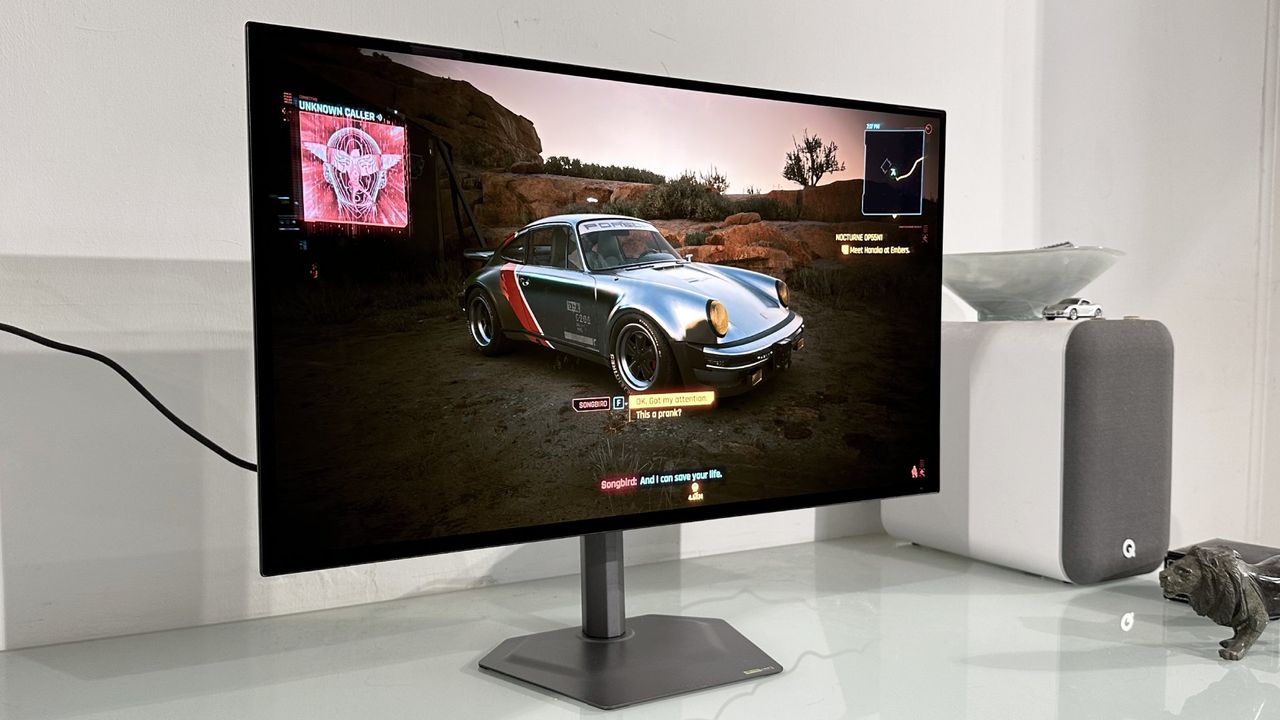
Why the Gigabyte MO27Q28GR is the Smartest OLED Choice Right Now
Are you in the market for an Gigabyte MO27Q28GR review that balances cutting-edge panel tech with a sensible budget? You have likely noticed GPU prices stubbornly refusing to normalise and memory markets going mad, making 1440p the perfect resolution for real-world gaming. This new Gigabyte MO27Q28GR is a 27-inch model that runs at 280 Hz, offering plenty of connectivity while costing around $599. While cheaper 27-inch OLEDs exist, they lack the revolutionary fourth-generation LG Primary RGB Tandem OLED panel found here.
This monitor brings very nearly all of LG's latest OLED technology to the table, excluding only the confusing "RGB" branding regarding subpixel structure. It features LG WOLED technology with a claimed 0.03 ms response time, ensuring pixel response is effectively a fixed problem for gamers. If you are looking for the latest tech without the premium price tag of high-DPI desktop monitors, this model might just be your answer.
Real-World Performance and Brightness Metrics
The Gigabyte MO27Q28GR sports LG's new 4th Gen LG Primary RGB Tandem OLED panel, which delivers significantly more punch than previous generations. Out of the box, you will immediately notice improvements in brightness and vibrancy compared to older LG OLEDs. The monitor achieves a full-screen brightness of 335 nits, an upgrade over the 250 to 275 nits of previous models. For HDR content, it supports DisplayHDR TrueBlack 500 certification with a peak brightness of 1,500 nits in a tiny 1.5% APL window.
If you prefer running panels like this in SDR mode with the automatic brightness limiter ramped up (indicated as the "Low" APL setting), the results are clearly better for consistent full-screen brightness. However, if you wind down the APL to increase visual sizzle, the monitor pops much more, though it still isn't as punchy as an LCD with mini-LED backlighting. This makes it ideal for users who run apps in dark mode, largely covering the criticism that OLEDs lack full-screen brightness.
When compared to the latest Samsung QD-OLED panels, I would still give the edge to Samsung in subjective terms. The LG panel does not suffer from the slight purple tint or warm color temperature issues found in strong ambient light on some QD-OLED models like the MSI MPG 341CQR. However, your mileage will depend heavily on your specific use case and how well you dial in the settings for your environment.
Design, Connectivity, and Buying Verdict
The Gigabyte MO27Q28GR is wrapped in a classy, minimalist chassis with a slick metal base and stand that offers a full range of adjustments, including pivot into portrait mode. The "R" suffix indicates this glossy version, branded as "RealBlack Glossy," though there is also a matte model (MO27Q28G) available for those who prefer anti-glare coating. It includes HDMI 2.1, DisplayPort 1.4, and a USB-C port with up to 18W power delivery (or 45W dynamic), making it suitable for thin-and-light laptops or phones.
Here is what you need to know before purchasing:
- Buy if: You want the latest OLED tech that is brighter and punchier than previous generations, especially in dark mode environments.
- Buy if: You prefer a 1440p resolution as a manageable compromise for gaming with modest graphics cards rather than chasing high-DPI desktop sharpness.
- Don't buy if: You require a crispy, high-DPI experience, as the 1440p pixel density may not satisfy users needing lots of desktop space or razor-sharp fonts.
The monitor comes with a three-year warranty, providing peace of mind regarding OLED burn-in concerns. While it doesn't sport the new RGB-stripe subpixel structure, it remains a slick but mature monitor that avoids obvious gamery styling pretensions. For around $599 (or £549 for the matte version), it represents a compelling entry point into next-generation OLED performance.