There is a strong argument to be made that 1440p webcams are almost as niche as 4K ones. A webcam has a specific purpose, typically fitting on your monitor to let meeting participants or gaming buddies see you. If you are willing to pay enough, it often makes more sense to invest in dedicated video equipment.
In this Razer Kiyo V2 X review, we look at whether this $100 camera can justify its place against budget 4K competitors. While high-end options like the Yololiv YoloCam S3 or Obsbot Tiny 3 Lite are great for video production, many 1440p webcams feel too expensive for a simple Zoom call yet not quite high-quality enough to warrant their price.
Razer Kiyo V2 X Review: Performance and Low-Light Issues
The Kiyo line has traditionally been known for performing well in low light. The original Kiyo featured a built-in ring light, and the Kiyo Pro introduced a standout light sensor in 202 1. However, the V2 X performs quite poorly in dark environments.
Low-light settings result in significant visual noise, and the autofocus struggles as well. I noticed the camera regularly having to readjust; while it does so relatively quickly, it remains a frustrating part of the experience. The aggressive autofocus is particularly noticeable when moving, such as when holding a guitar or a game controller near your chest.
To mitigate these issues, you can use Razer Synapse software. You can manually adjust brightness—though this feels more like a filter—or disable the autofocus entirely. However, turning off autofocus means you must manage focus manually, which presents its own set of challenges.
One major drawback is that Synapse wrangles control away from whatever other software the webcam is currently using. This means you cannot easily adjust settings on the fly during an active meeting.
Hardware Design and Connectivity
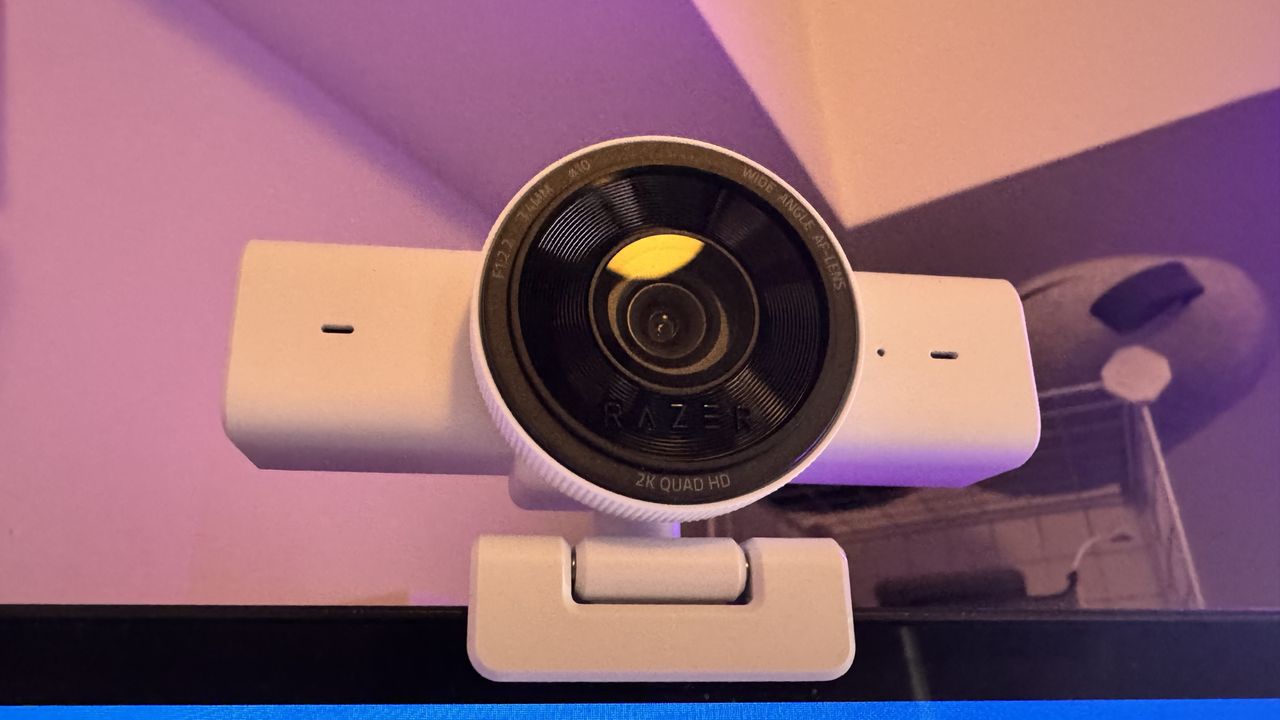
The camera's quality is solid enough for a quick meeting, and its wide-angle lens offers a decent view of your space for streaming. The setup is incredibly easy, as it does not require Razer’s software to function immediately.
The design is tidy, featuring a built-in stand that clips onto monitors easily and a physical privacy shutter activated by spinning the front of the lens. While the stand is strong enough to support the shutter movement, it isn't quite as stable as my monitor.
However, there are some hardware drawbacks:
- Integrated Cable: The V2 X has an integrated USB Type-A cable. This means if the cable breaks (perhaps from a pet bite), you have to replace the entire unit.
- Lack of HDR: There is no HDR support, which would have greatly benefited its low-light capture.
- Lighting Issues: I noticed some washing out in high-light environments, such as near windows.
- Microphone Quality: The built-in omni-directional microphone is middle-of-the-pack with very little noise cancellation.
Razer Kiyo V2 X Specifications
- Resolution: 1440p at 60 fps / 1080p at 60 fps
- Diagonal Field of View: 80°
- Sensor: 3.7 MP sensor
- Connection: USB Type-A
- Microphone: Omni-directional microphone
- Dimensions: 67 x 67.8 x 109 mm
- Weight: 160 g
- Price: $100 | £100
Final Verdict: Is it worth the price?
The unique selling point of this camera is its frame rate. Unlike many 4K webcams that cap out at 30 fps, the V2 X offers a smooth 60 fps capture at 1440p. If you specifically require 1440p at high frame rates, there is an argument to be made for this device.
However, the price remains a significant hurdle. The Obsbot Meet 2 is only $30 more, but it offers stronger capture, better autofocus, and a more compact design. Additionally, the Emeet Pixy provides a 4K sensor on a gimbal for a similar price point.
Ultimately, the Razer Kiyo V2 X review concludes that while it isn't "bad," it feels like a product that should have launched years ago.
Buy if…
- ✅ You specifically want 60 fps capture at 1440p resolution.
Don't buy if…
- ❌ You can wait for a sale to get better 4K offerings.
- ❌ You need superior low-light performance or reliable autofocus.