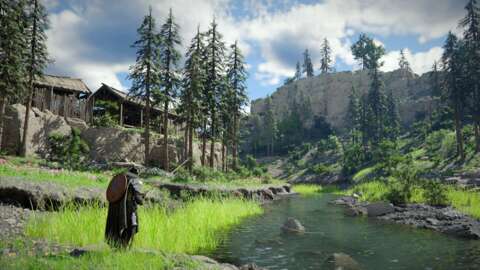
If you are looking to experience Crimson Desert from a fresh perspective, there is now a way to mimic the gameplay of an isometric RPG like Diablo IV. A clever player has discovered that specific camera adjustments can fundamentally change how you view the world of Pywel.
Transforming Crimson Desert with New Camera Settings
On April 24, X user Ninjago9101 shared a discovery regarding new camera options added by Pearl Abyss in a recent update. While these settings are somewhat hidden, they offer enough control to effectively transform the game's visual style.
To find these options, you must navigate through the following menu path:
- Open the Settings tile
- Navigate to the Others tab
- Select the Accessibility tab
Once inside the Accessibility menu, you will find five distinct camera-related options: Camera Shake Intensity, Camera Visual Range, Camera Distance, Camera Vertical Offset, and Camera Horizontal Offset. Four of these settings are capable of totally transforming the game's look.
The Perfect Settings for a Diablo-Style View in Crimson Desert
To achieve that signature "Diablo" look, Ninjago9101 provided the exact configuration needed to shift the perspective. By adjusting four of the five available sliders, you can move away from the standard third-person view into an isometric layout.
According to a follow-up post, use these specific values:
- Camera Visual Range: 0 (Default is 50)
- Camera Distance: 100 (Default is 50)
- Camera Vertical Offset: 0 (Default is 50)
- Camera Horizontal Offset: 0 (Default is 50)
By implementing these changes, you can effectively turn Crimson Desert into a top-down action experience. It is a sneaky way to breathe new life into Pearl Abyss' latest adventure.