Laptop design has traditionally favored predictable, ergonomic layouts over radical experimentation. For decades, manufacturers have adhered to a standard blueprint featuring a centered keyboard and a reasonably sized touchpad.
However, as mobile computing enters the era of integrated artificial intelligence, we are seeing a sudden, sometimes jarring, push toward unconventional hardware configurations. This Acer Swift 16 AI (2026) Review examines a device that prioritizes new use cases over established user habits.
High-End Performance and Stunning OLED Visuals
The Acer Swift 16 AI (2026) arrives at a pivotal moment when users demand both extreme efficiency and raw power for modern workloads. At its core, the machine utilizes the Intel Core Ultra X7 358H, a component of the new Series 3 architecture that promises a significant leap in discrete graphics capabilities.
During testing, this silicon demonstrated impressive results, managing to maintain an average of 56 frames per second on medium settings in demanding titles like Cyberpunk 2077. While it is not a dedicated gaming rig, the performance ceiling for this thin-and-light device is remarkably high.
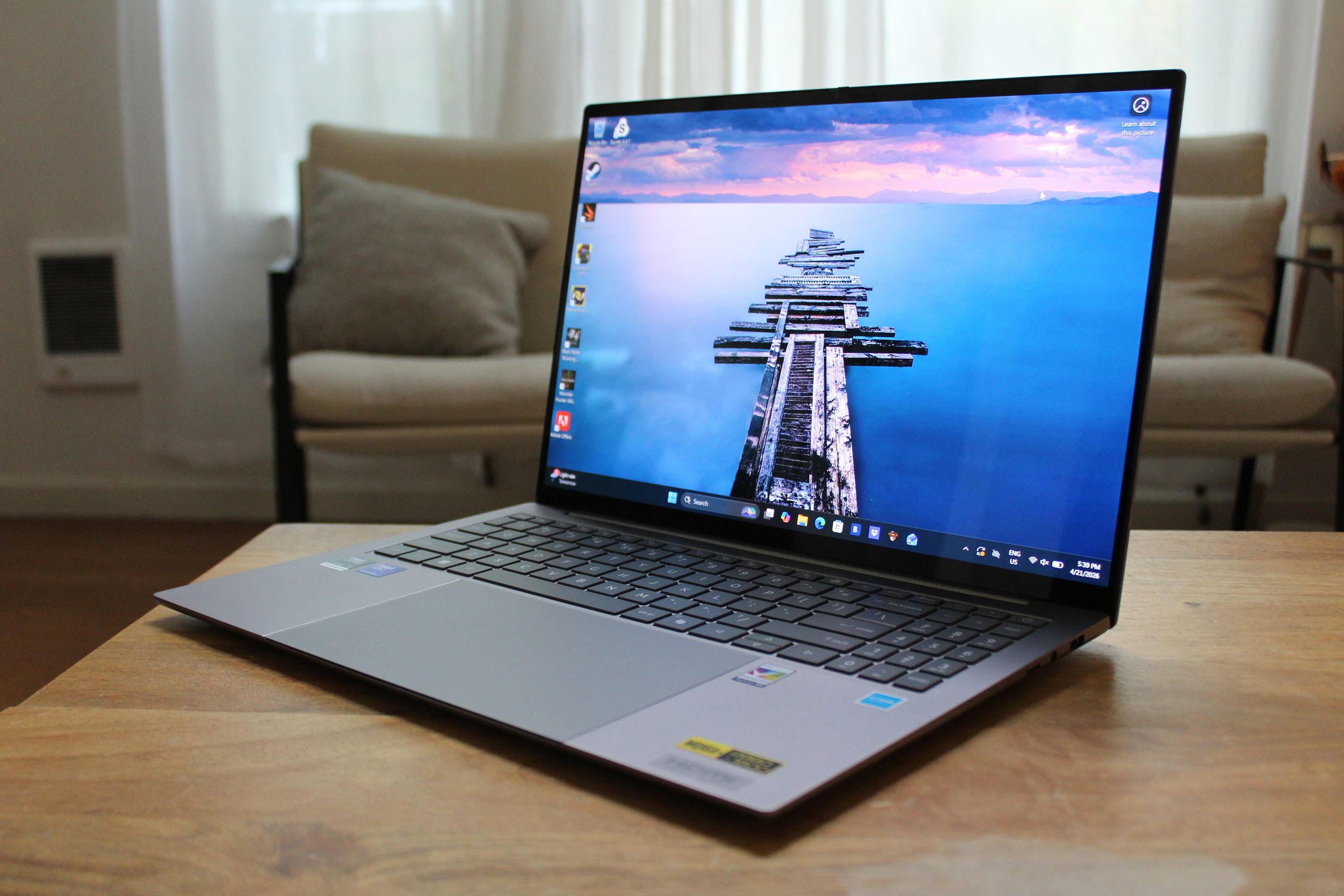
Complementing this power is a stunning 16-inch OLED touchscreen. With a resolution of 2880 x 1800 and a 120 Hz refresh rate, the visual fidelity is undeniable. The contrast ratios provided by the OLED panel create a depth that traditional IPS displays struggle to replicate.
While the 315 nits of peak brightness may feel slightly dim in direct sunlight compared to mini-LED competitors, the color saturation remains near perfect for creative professionals. Furthermore, the device is capable of sustaining an entire workday on a single charge, with local video playback tests exceeding 16 hours.
The Acer Swift 16 AI (2026) Review: An Experimental Touchpad Dilemma
The most striking—and polarizing—feature of this laptop is its massive, oversized haptic touchpad. Acer has attempted an ambitious feat by centering the touchpad beneath the keyboard, effectively neutralizing the visual "off-center" look that typically plagues laptops equipped with a number pad.
By expanding the surface area, Acer has turned the input device into something more than a simple cursor controller; it is designed to function as a Wacom-like drawing tablet when paired with the included Acer Active Stylus. However, this design choice introduces significant ergonomic friction:
- Accidental Input: The sheer scale of the pad means that even slight movements of the right palm during typing can trigger unwanted clicks.
- Input Disruption: To avoid errors, users may find themselves needing to lift their hands entirely off the palm rests to navigate the interface.
- Haptic Feedback: While the haptic mechanism is responsive and natural, it cannot fully compensate for the physical intrusion of a resting hand.
The keyboard itself suffers from a similar lack of refinement. The keys feature a shallow actuation point that may frustrate those accustomed to more tactile, mechanical-feeling laptop keyboards. Furthermore, the presence of the number pad alongside the massive touchpad creates a somewhat cramped typing environment that feels less polished than its $1,550 price tag suggests.
Build Quality and Connectivity Realities
Visually, the Swift 16 AI is one Acer’s most sophisticated offerings. The dark silver chassis avoids the "budget" aesthetic often associated with the brand, aiming directly at the premium market occupied by the Dell XPS 16 and MacBook Pro.
Yet, beneath the sleek exterior, the build quality reveals some inconsistencies. There is noticeable flex in the keyboard deck and palm rests, and the lid can feel somewhat fragile when pressure is applied to the corners.
Connectivity remains a mixed bag of old and new standards. Unlike the USB-C-only approach seen in recent Dell models, Acer has included:
- One HDMI 2.1 port
- Two USB-A ports
- A microSD card slot
- A headphone jack
While the inclusion of legacy ports is a win for compatibility, the asymmetrical placement—with all primary USB-C charging and data ports concentrated on the left side—is an ergonomic oversight.
Final Verdict: Innovation vs. Ergonomics
The Acer Swift 16 AI (2026) is a device caught between two worlds: the desire for experimental innovation and the necessity of ergonomic reliability. On paper, the combination of an OLED powerhouse, long battery life, and integrated stylus support makes it a compelling tool for digital artists and mobile professionals.
In practice, however, the oversized touchpad acts as a significant barrier to a seamless user experience. Unless your workflow specifically demands a built-in drawing surface or you have a deep reliance on the integrated number pad, the frustrations of accidental clicks may outweigh the benefits of the hardware. For most users, a more traditional, "boring" layout would likely yield a much higher level of satisfaction.