Does the web-centric nature of ChromeOS inherently limit a user's potential in 2026? For years, the prevailing wisdom suggested that finding the best Chromebooks was a lost cause—a search for cheap, plastic compromises. While much of the market still supports this low-quality stigma, a new tier of hardware has emerged to challenge the notion that ChromeOS is strictly for the budget-conscious.
Premium Hardware: The Best Chromebooks for Power Users
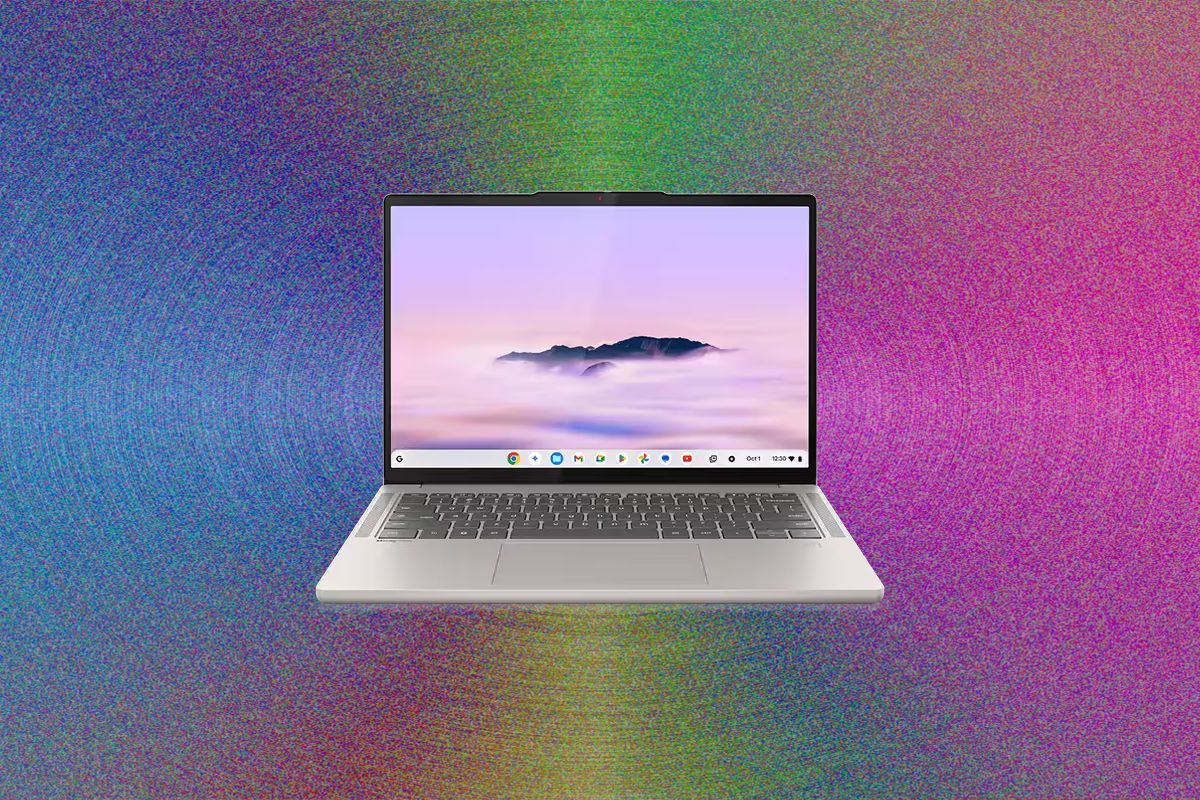
The Lenovo Chromebook Plus 14 stands as perhaps the most significant argument against the "cheap and crappy" reputation. Since the era of the original Pixelbook, it has been rare to find hardware that makes the platform feel truly premium. The chassis design is immaculate, offering a tactile experience that rivals much more expensive competitors.
With a frequent price point around $649, this machine offers 16 GB of RAM and 256 GB of storage. This provides a clear advantage over similarly priced Windows machines like the MacBook Neo, which often struggles with much lower memory capacities.
Efficiency is where this device truly excels. Utilizing an ARM-based MediaTek processor, the Lenovo model bridges the gap in battery life that had previously seen Chromebooks falling behind modern competitors. While the retail price can climb to $749, the performance remains incredibly stable for multitasking and heavy web usage.
For those seeking versatility, the Acer Chromebook Plus Spin 514 serves as an excellent alternative. This 2-in-1 model features a 360-degree hinge and a responsive touchscreen, making it suitable for everything from media consumption to light productivity. While it shares the same MediaTek Kompanio Ultra 910 processor as its Lenovo rival, the Acer offers a distinct aesthetic and an extra USB-A port.
Budget Solutions That Won't Break the Bank
When hardware budgets drop below the $500 mark, the landscape becomes much more treacherous. It is easy for manufacturers to compromise on display quality and trackpad precision to hit lower price points. However, certain models manage to navigate these pitfalls without sacrificing basic usability.
The Acer Chromebook Plus 516 is a standout in the budget category. Even at its $479 price point, it avoids the common mistake of installing a frustratingly poor touchpad. While the display is admittedly a weak point—suffering from slightly desaturated colors on its 16-inch panel—the internal specs are impressive. Combining an Intel Core i3 processor with 8 GB of RAM, it offers a level of performance that makes it a steal when found on sale for $350.
For extreme budget constraints, the Asus Chromebook CX series provides a functional entry point:
- Asus Chromebook CX14: A reliable choice for those needing a portable, no-frills machine, especially when configured with 8 GB of RAM.
- Asus Chromebook CX15: Offers a larger screen and a unique blue chassis option, though the off-center touchpad can be polarizing.
These devices are not without flaws; they often feature lower brightness levels and mediocre webcams. However, compared to an ancient, bloated Windows laptop at the same price, they provide a much more streamlined experience.
Notable Mentions for Long-Term Value
The Chromebook market is characterized by longer product lifecycles than its Windows counterparts. If your needs extend beyond basic browsing, these specific machines are worth considering:
- Acer Chromebook Plus Spin 714: A powerhouse featuring an Intel Core Ultra 5 processor and dedicated AI processing capabilities.
- Lenovo IdeaPad Flex 5i Chromebook Plus: An excellent mid-range option for users who want a 2-in-1 form factor without the premium price.
- Asus Chromebook CX34: A rare "looker" in a sea of gray plastic, featuring a durable white shell and a highly responsive interface.
Ultimately, choosing one of the best Chromebooks requires an honest assessment of your software requirements. If your workflow is contained within a browser, there is no reason to overpay for a heavy Windows machine when these optimized alternatives exist. The era of the "disposable" Chromebook is ending, replaced by hardware that finally matches the potential of the software it runs.