The modern home office has evolved into a complex ecosystem where the humble printer sits at its core. Despite the widespread adoption of digital workflows, many households still rely on physical output for urgent documentation, making the search for the best printers for any home-office need more critical than ever.
Finding the right balance between digital convenience and physical reliability is key to a productive workspace. Whether you are managing a small business or just need the occasional scan, choosing a device that offers efficiency and versatility will define your long-term workflow success.
Key Considerations for Your Home Office Printer
Before investing in new hardware, it is essential to evaluate which technology aligns with your specific printing habits. The market currently offers several distinct paths depending on your budget and volume requirements.
- Printer Technology: Ink tank systems offer significantly lower per-page costs and reduced plastic waste compared to traditional cartridges. Conversely, laser printers excel in speed and text consistency but often require a higher upfront investment.
- Connectivity Options: Robust Wi-Fi capability is non-negotiable for seamless integration with smartphones, tablets, and laptops without the clutter of cables.
- Scanning Functionality: Integrated scanners are vital for modern workflows, allowing you to digitize documents and photos without needing a separate device.
Top Picks: The Best Printers for Any Home-Office Need
Depending on your specific tasks—ranging from high-volume document printing to occasional photo work—different models will serve you better. Here are the standout options across various technology categories:
Best All-Rounder Ink Tank System
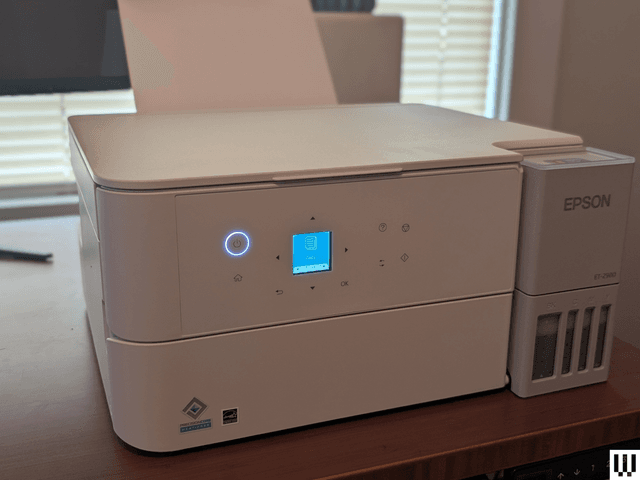
The Epson EcoTank ET-2980 remains a top contender for those seeking affordability. It delivers low-cost ink refills, reliable paper handling, and flatbed scanning at a very competitive price point.
Best Color Laser for Occasional Photo Work
For users who need vibrant color without the maintenance of liquid ink, the Brother HL-3280CDW provides an ideal balance. It offers excellent color accuracy and practicality, making it suitable for high-quality prints without heavy setup overhead.
Thermal and Label Specialists
If your needs are more niche, such as printing shipping labels or receipts, look toward direct thermal mechanisms. These specialized models minimize ink consumption and are incredibly efficient for e-commerce workflows.
Maximizing Long-Term Value and Connectivity
To ensure your printer remains a functional asset rather than a source of frustration, consider the operational factors that influence longevity. Maintaining consistent quality requires attention to paper compatibility and environmental factors like humidity, which can impact both ink behavior and laser fusing accuracy.
Modern hardware is increasingly defined by its connectivity and versatility. Look for printers that include:
- Touchscreen controls and intuitive software interfaces.
- Wi-Fi Direct or Ethernet options for stable connections in remote desktop setups.
- Mobile-friendly apps that enable remote printing from anywhere in the house.
- Automatic Document Feeders (ADF) to handle multi-page scanning tasks efficiently.
Future-Proofing Your Setup
When selecting the best printers for any home-office need, think beyond your current task list. Forward-thinking buyers should consider how a device interfaces with emerging ecosystems, such as cloud services or smart home platforms.
Prioritize devices that support voice command integration and automatic software updates to maintain high security standards. By choosing modular designs and adaptable technology, you can ensure your home office remains efficient as your professional needs evolve.